
AI Disclosure Label
v1.0.0 · XenForo 2.2+ · Updated
by D.C Style · Add-ons
Let members disclose AI assistance, quote AI output clearly, and find disclosed forum posts through native XenForo search.
- v1.0.0
- XenForo 2.2+
- Updated
- 48 KB
Free
No account needed
Download v1.0.0
48 KB
Released Oct 6, 2026 · 1 version available · Get support
Licence & help
- Use on one XenForo installation
- Free updates, no renewal needed
What your licence covers
1XenForo install
Freeupdates, no renewal
You may also like
More in Add-onsYou May Also Like
-
 Quote Backlinks
Add-ons
154 downloads
Free
-
 AI Crawler Blocklist
Add-ons
94 downloads
Free
-
 Real Views
Add-ons
$39.00
-
 Smart Mail Router
Add-ons
$25.00
From the blog
-
XenForo Tiptap Editor: What It Means for Your Forum
· 5 min read
Screenshots
10 images · tapclick to enlarge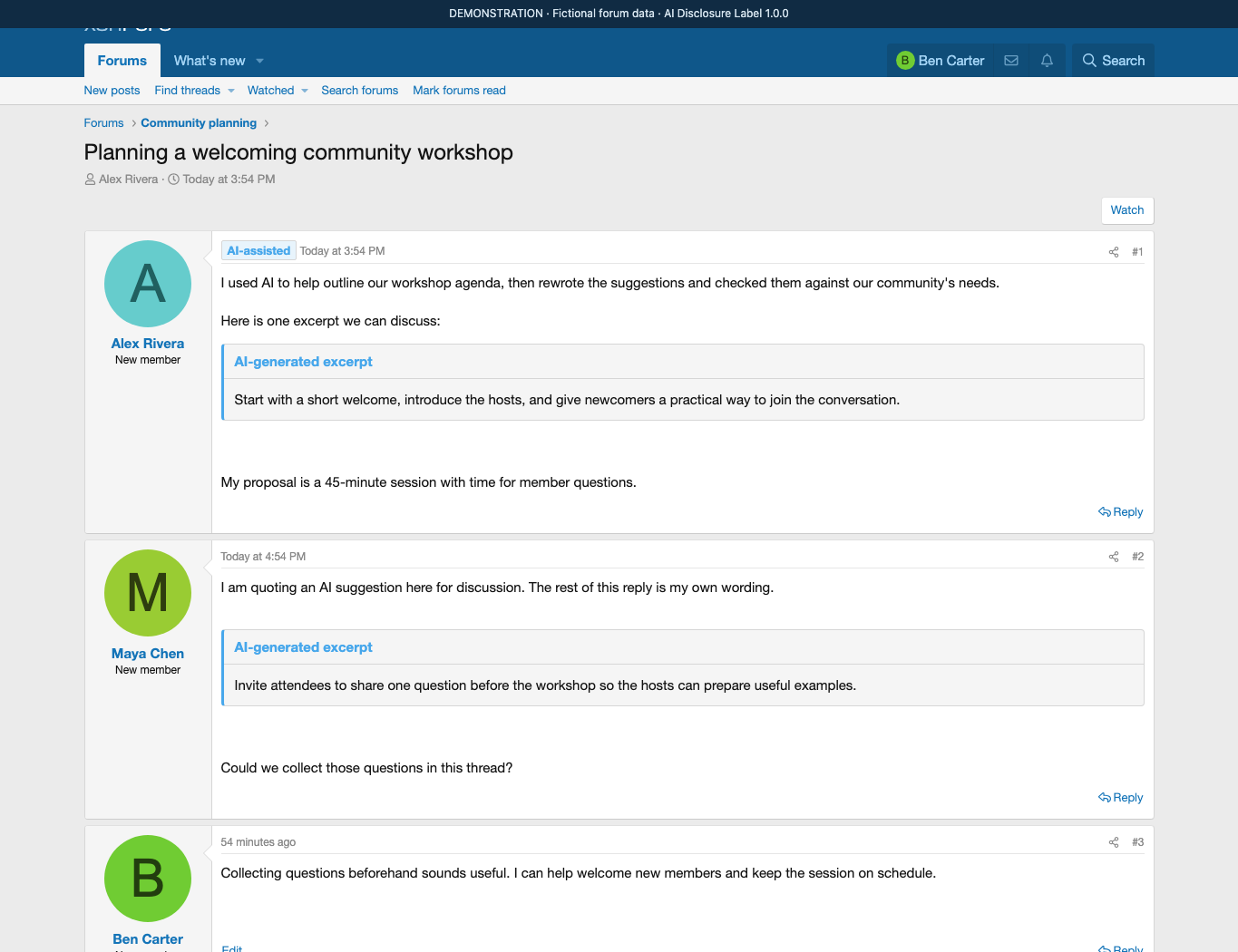
Description
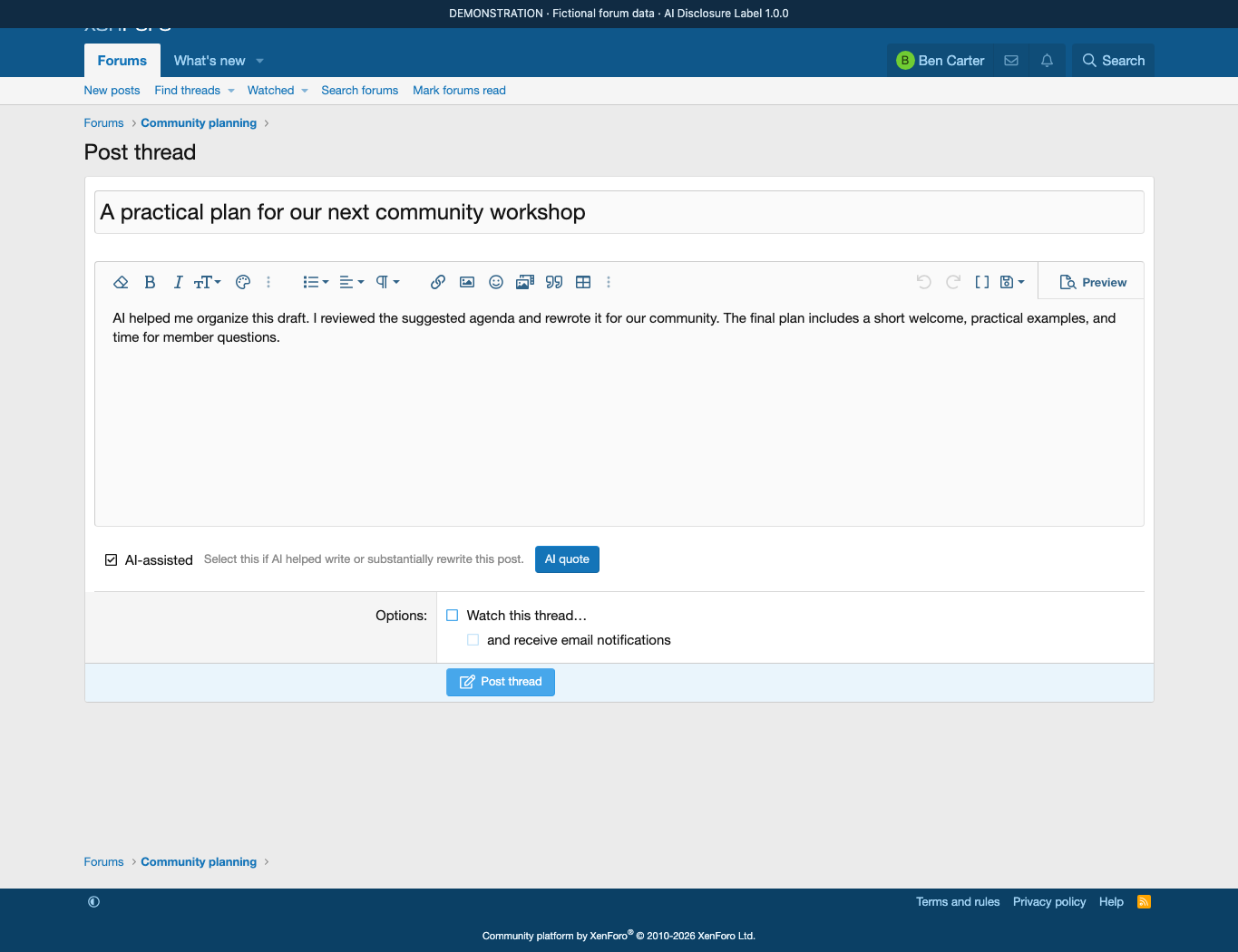
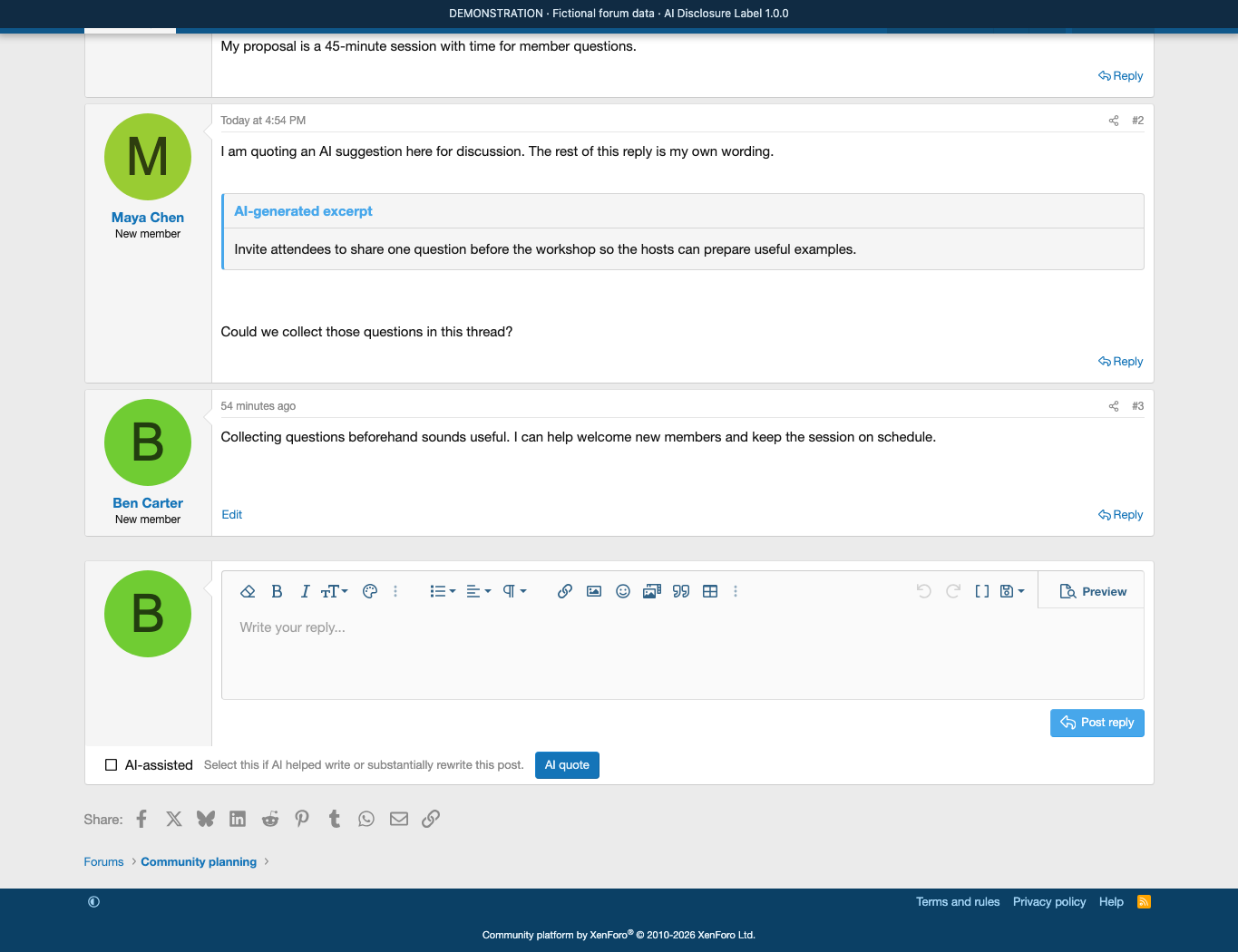
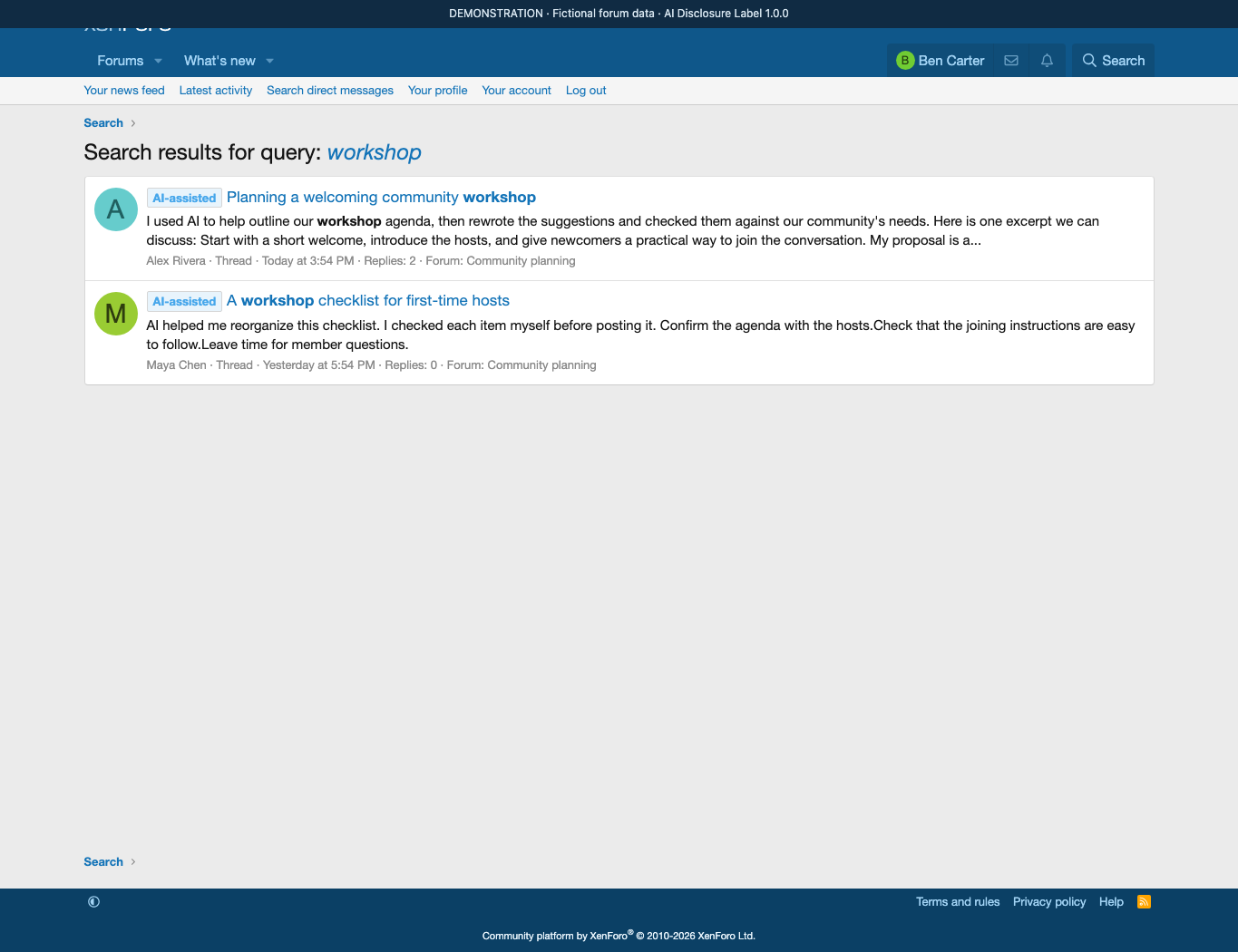
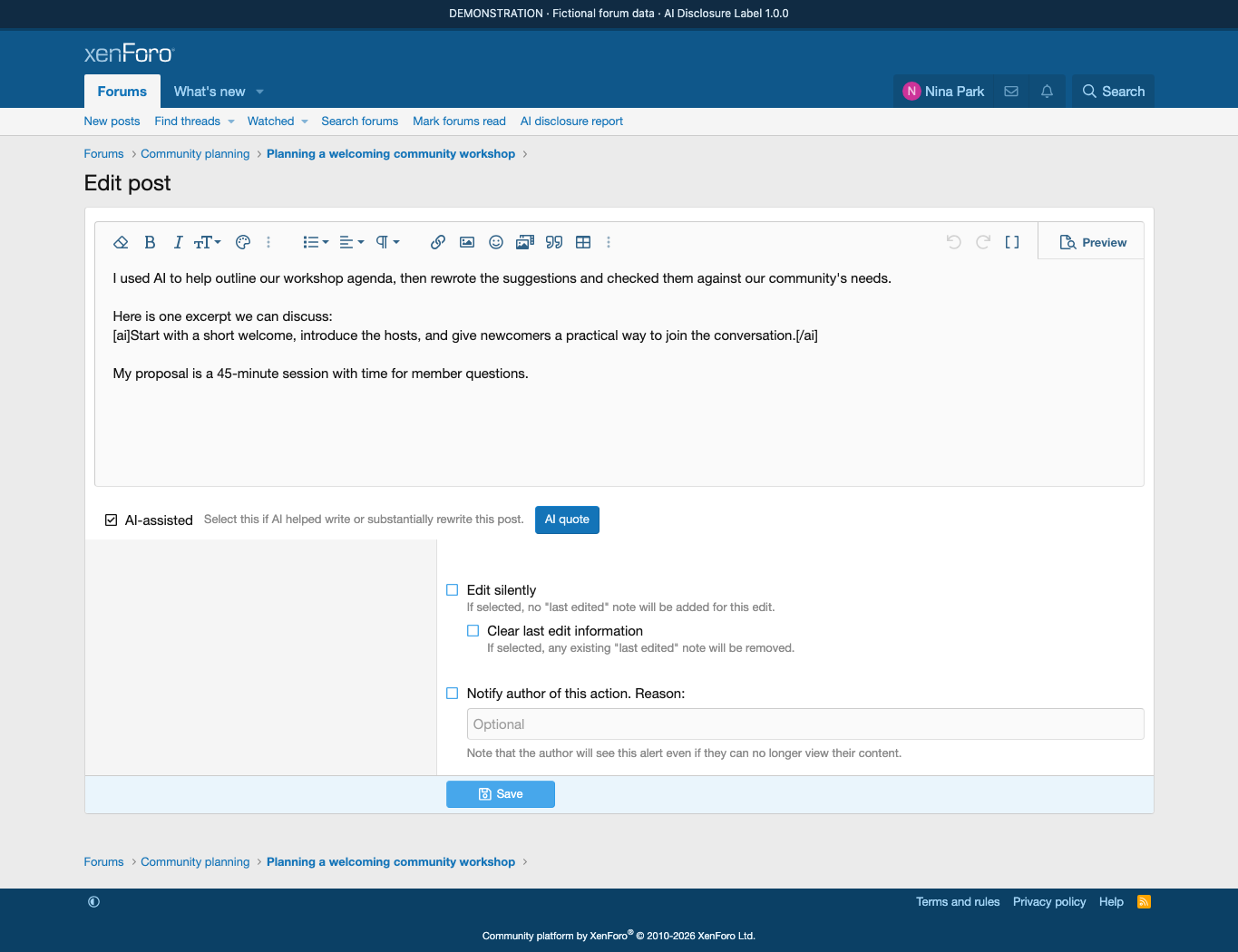
Make AI assistance easy to disclose. AI Disclosure Label adds an AI-assisted checkbox to thread creation, replies and post editing. Members can explain that AI helped write or substantially rewrite a post, and readers see a clear text badge beside its attribution. Each post keeps its own disclosure; an opening post does not label every reply.
Give AI excerpts their own place. Use the AI quote button beside the editor, or write [ai]AI output[/ai], to display a block headed AI-generated excerpt. Quoting an AI suggestion does not automatically declare the surrounding post AI-assisted. Formatted excerpts remain readable in the forum, email and simplified output.
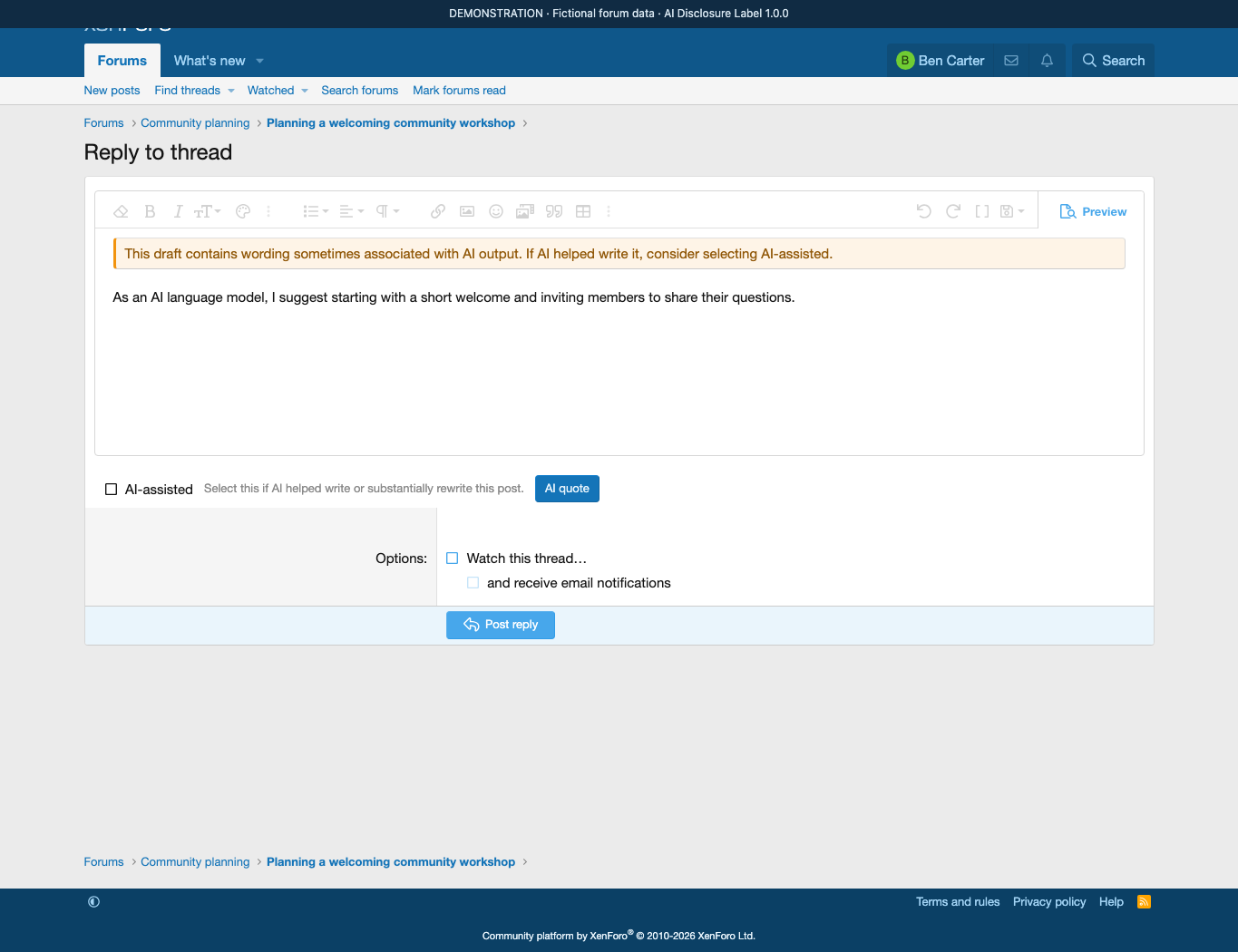
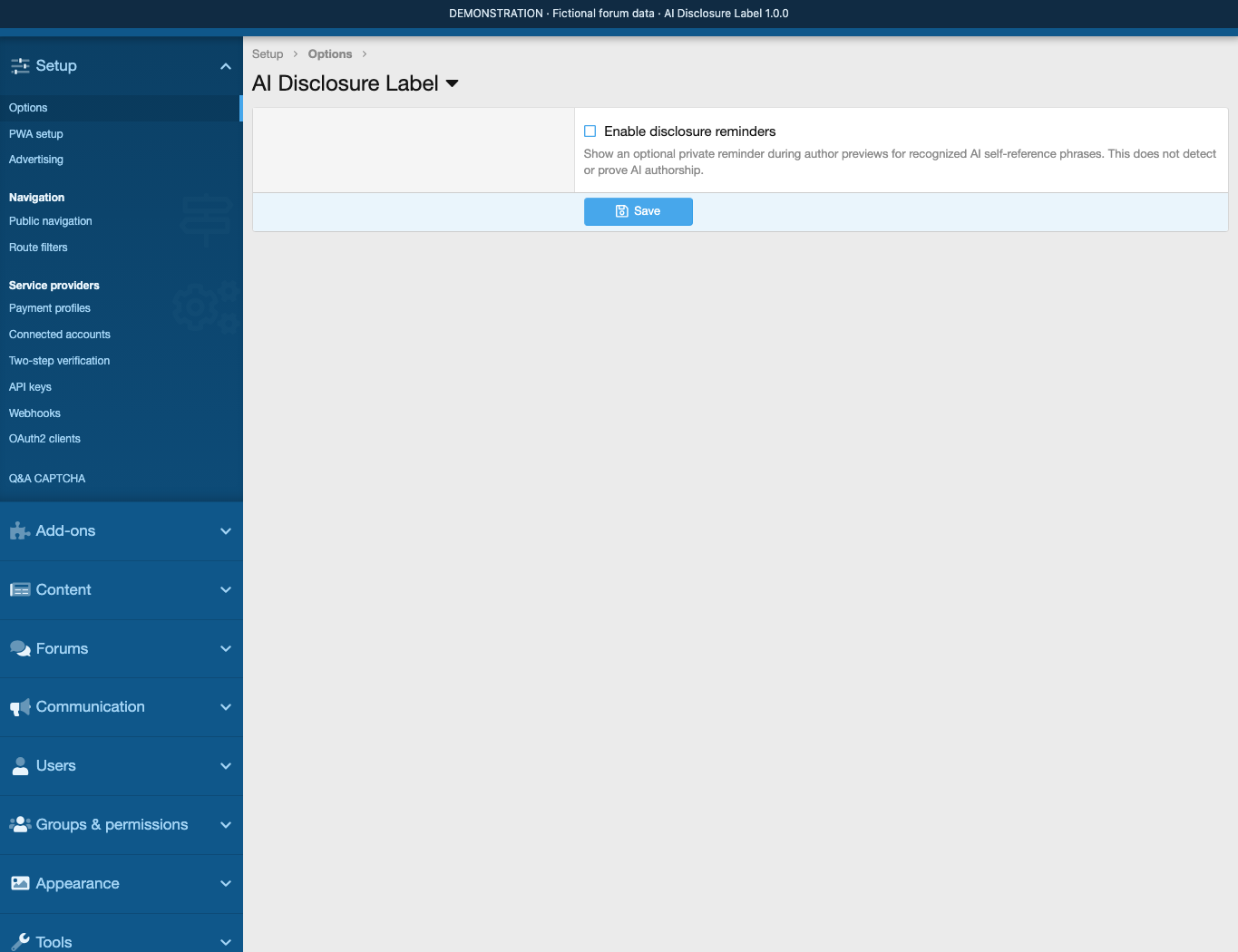
Offer a private prompt when useful. Administrators can enable an optional reminder during author previews. It recognizes a small set of English and Vietnamese AI self-reference phrases and suggests considering the disclosure checkbox. Reminders are off by default, stay private, and never label a post or prevent submission. They do not detect or prove AI authorship.
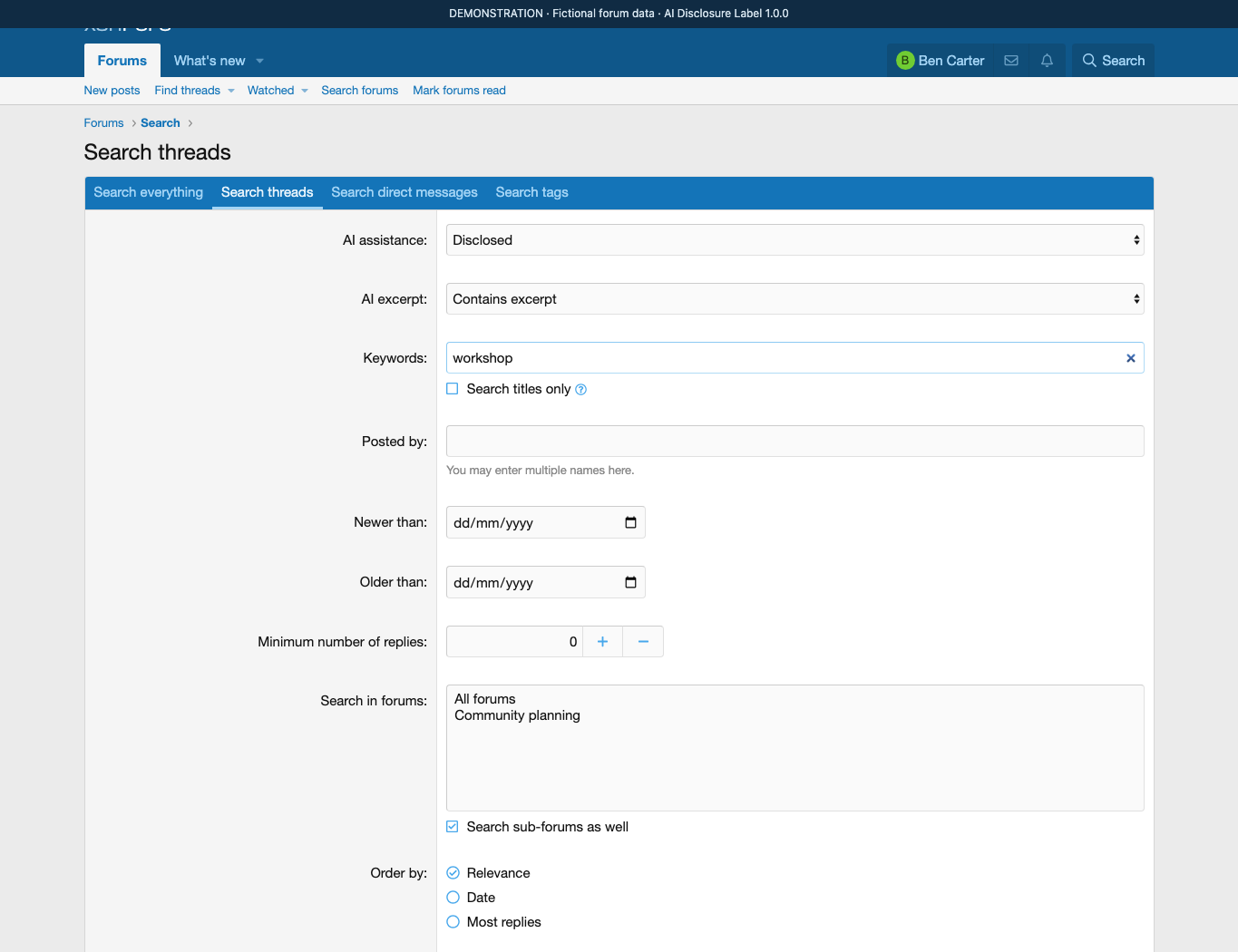
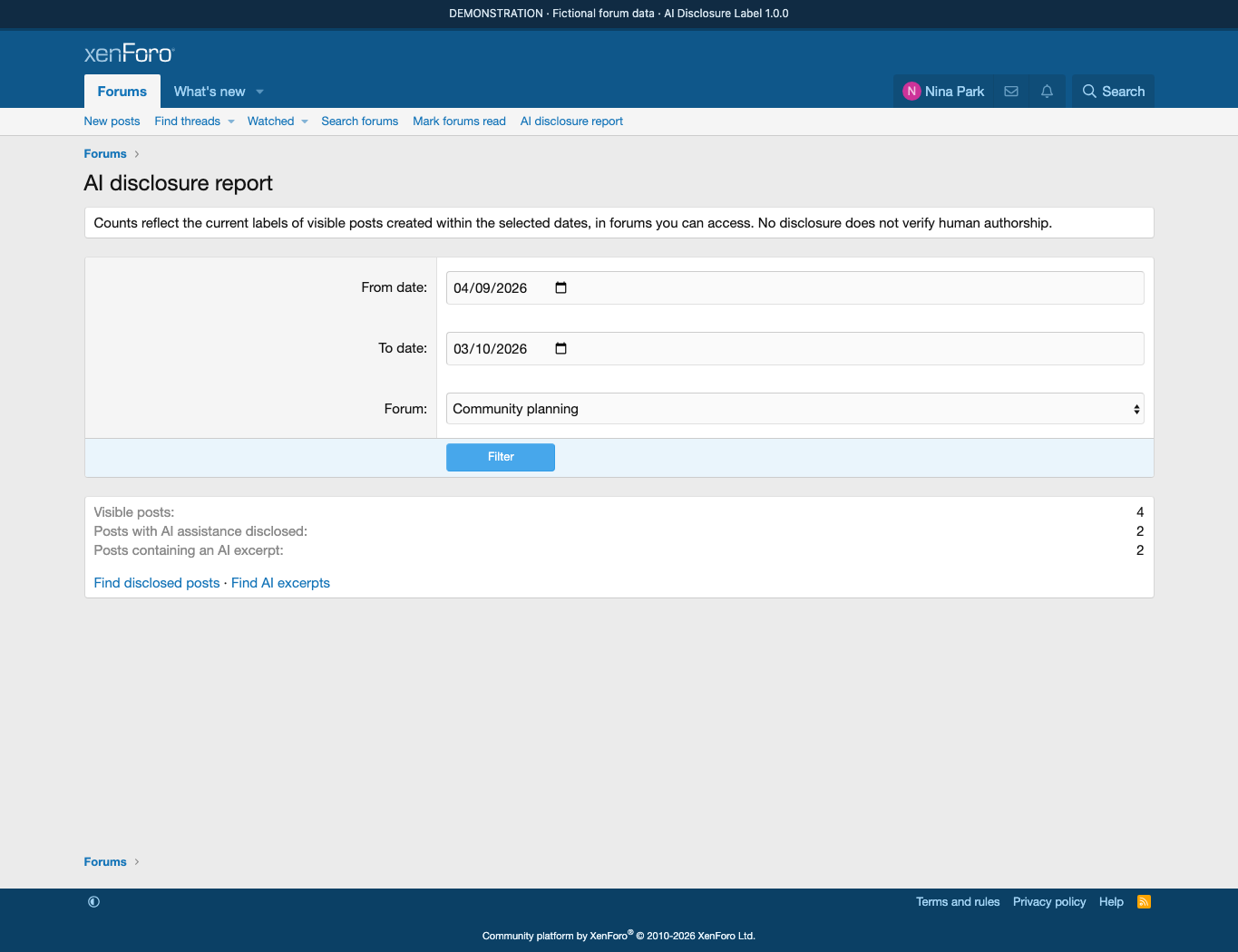
Find and review disclosed content. The native Search threads form gains independent AI assistance and AI excerpt filters alongside the usual keyword, member, forum and date controls. Authorized staff can review current counts by forum and post creation date. The report respects native forum access and own-thread restrictions and counts visible content only.
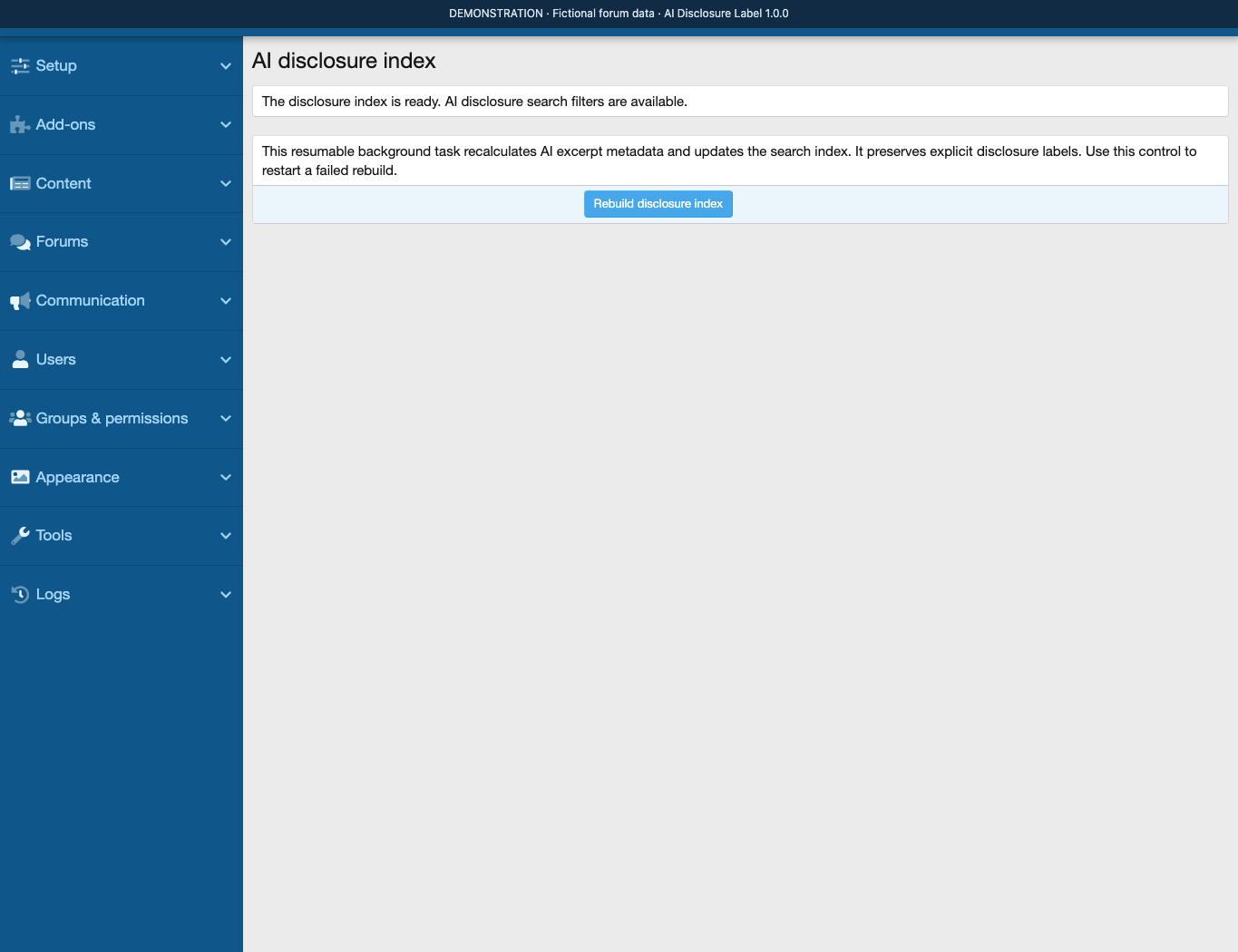
Keep the forum in control. Authors change disclosure within their normal post-edit permissions. Moderators need an additional permission to change another member’s label, and those changes are logged. A resumable historical rebuild prepares existing posts for the new search filters. An unchecked box means no disclosure; it does not verify human authorship.
AI Disclosure Label guides
3- How to install AI Disclosure Label on XenForo Install AI Disclosure Label, finish the first search index rebuild and set staff permissions, so the add-on is ready to use. Beginner 2 min · Installation Installation Beginner 2 min
- Fix AI Disclosure Label search filters and install problems Find out why AI search filters are missing or the add-on will not install, and fix it by restarting the index rebuild or resolving the [ai] BBCode conflict. Advanced 1 min · Troubleshooting Troubleshooting Advanced 1 min
- Using AI Disclosure Label: checkbox, AI quotes and search Mark posts as AI-assisted, add AI-generated excerpts and find disclosed posts with AI Disclosure Label search filters. Intermediate 2 min · Add-on Guides Add-on Guides Intermediate 2 min
Reviews
Sign in to write a reviewNo reviews yet. Only customers who downloaded or bought it can review.
Questions 5
Answered by the D.C Style team.
What do I need to run AI Disclosure Label on my forum?
You need XenForo 2.2 or later.
The add-on is free. Use Add-ons → Install/upgrade from archive, or upload the release ZIP's upload contents to your forum root and install DC/AIDisclosure. It is best to try it with your forum style on a test installation first.
Answered by D.C Style ·
