
Smart Mail Router
v1.0.0 · XenForo 2.2+ · Updated
by D.C Style · Add-ons
Route XenForo email through multiple SMTP providers, with sending limits, automatic failover and guided setup.
- v1.0.0
- XenForo 2.2+
- Updated
- 94 KB
$25.00
one-time
Includes 12 months of updates. Renew for $19.00 if you want more — never automatic.
- Licence key and download right after payment
- Not working as described? See the refund policy
At checkout you can add 24 months of updates (+$14.25) or we install it (+$25.00).
Licence & help
- Use on one XenForo installation
- Updates and support for 12 months
- Optional renewal at $19.00 for another 12 months of updates & support. Never charged automatically.
- Keeps working after updates end
What your licence covers
1XenForo install
12 moof updates
12 moof support
Keeps working after updates end. Renew for $19.00 for another 12 months, never charged automatically.
You may also like
More in Add-onsYou May Also Like
-
 Login As User
Add-ons
49 downloads
Free
Login As User
Add-ons
49 downloads
Free
-
 Forum Statistics
Add-ons
68 downloads
Free
Forum Statistics
Add-ons
68 downloads
Free
-
 Google Drive Attachments
Add-ons
$25.00
Google Drive Attachments
Add-ons
$25.00
-
 Advanced tag view
Add-ons
$10.00
Advanced tag view
Add-ons
$10.00
Screenshots
9 images · tapclick to enlarge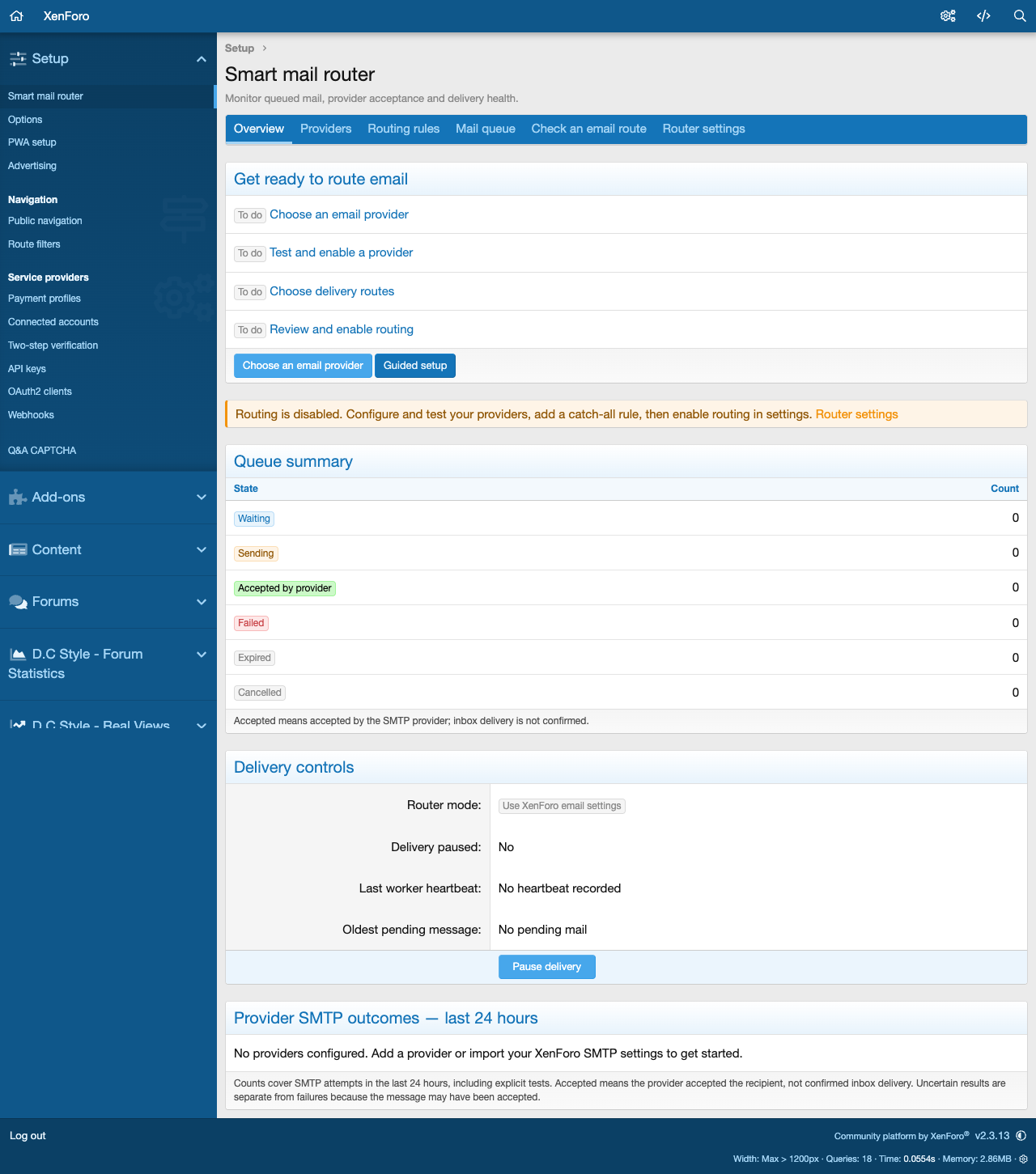
Description
Give your forum email a clearer route. Smart Mail Router lets you use multiple SMTP providers, control how much each connection sends, and choose where different kinds of email should go.
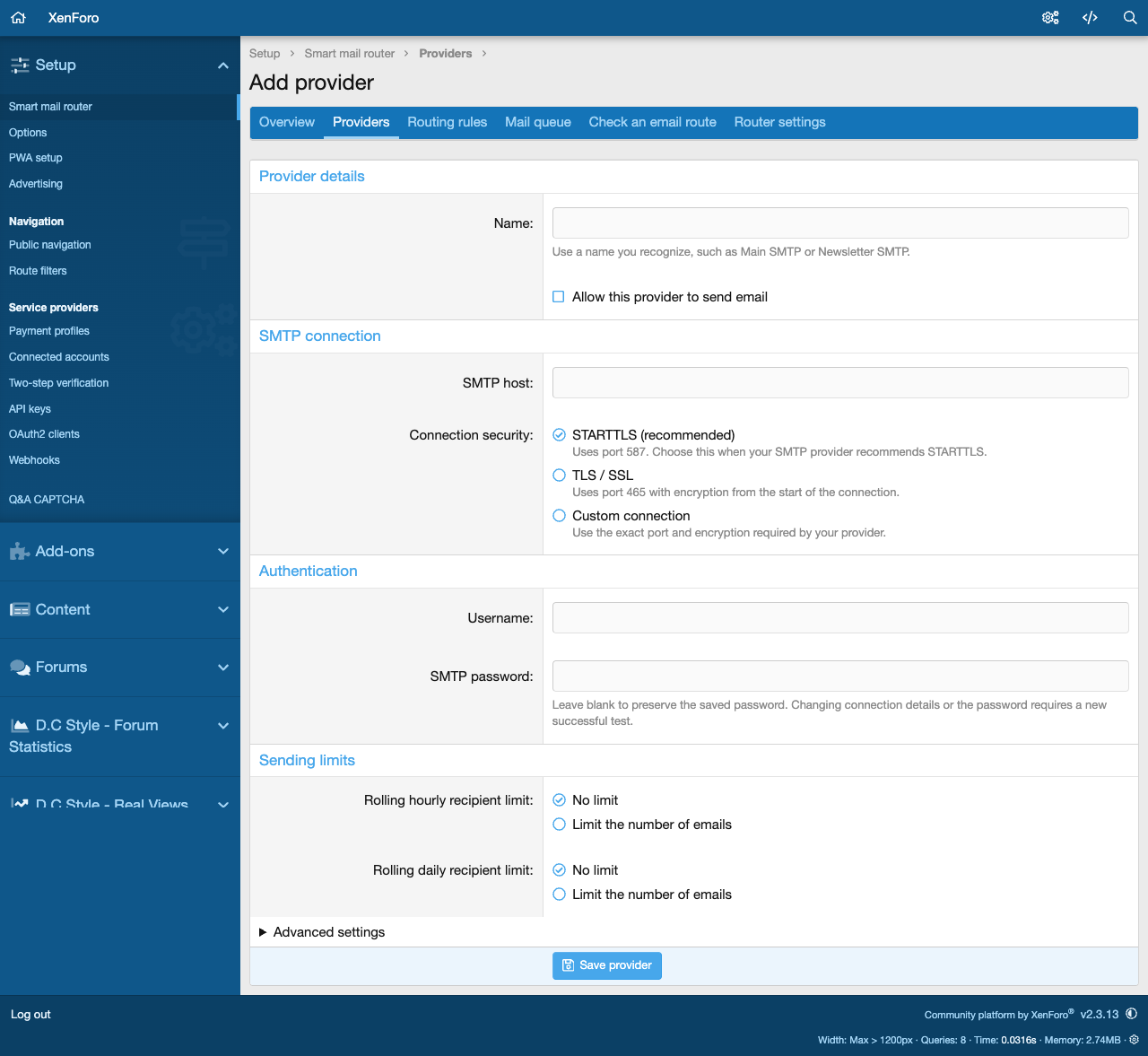
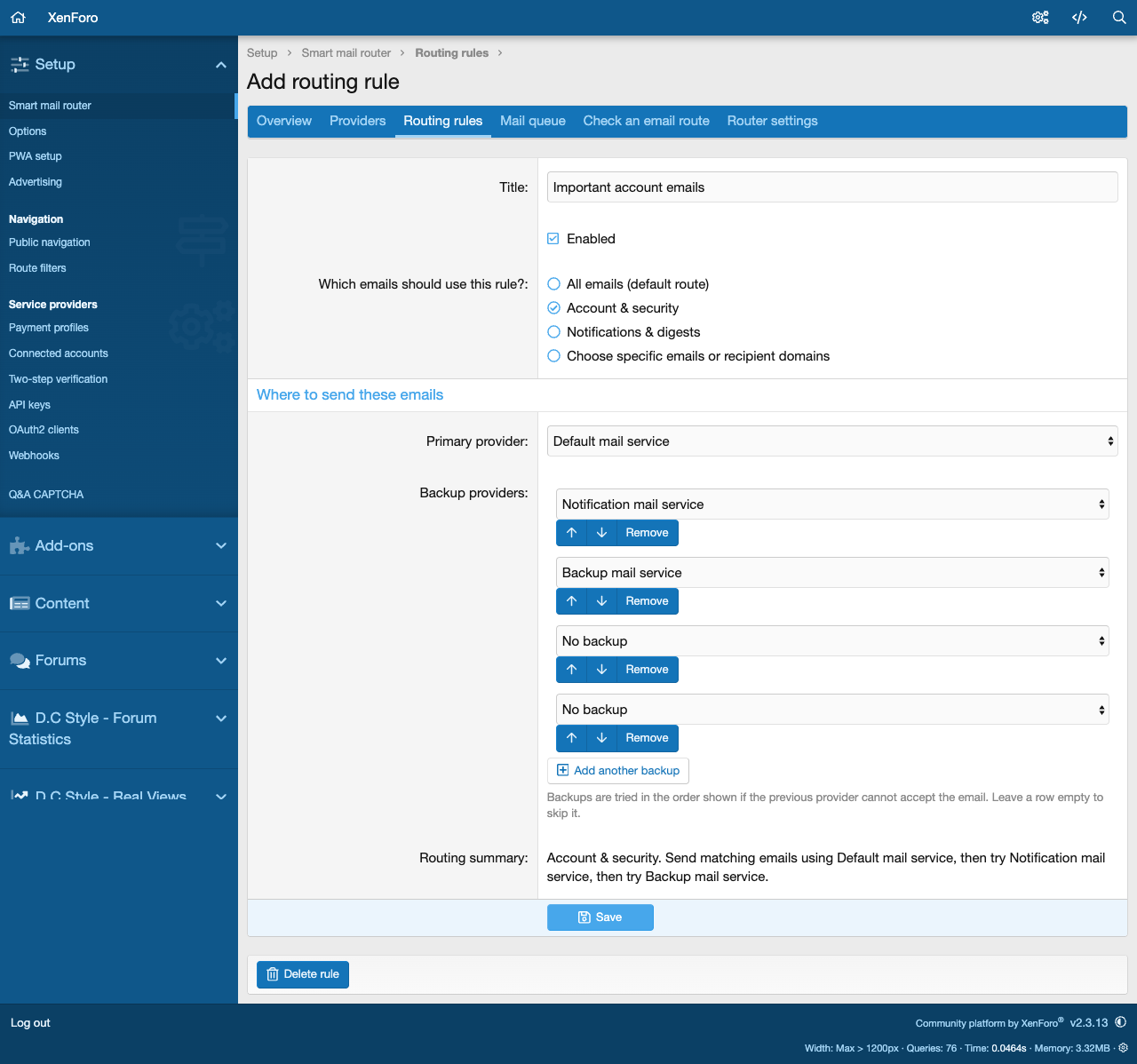
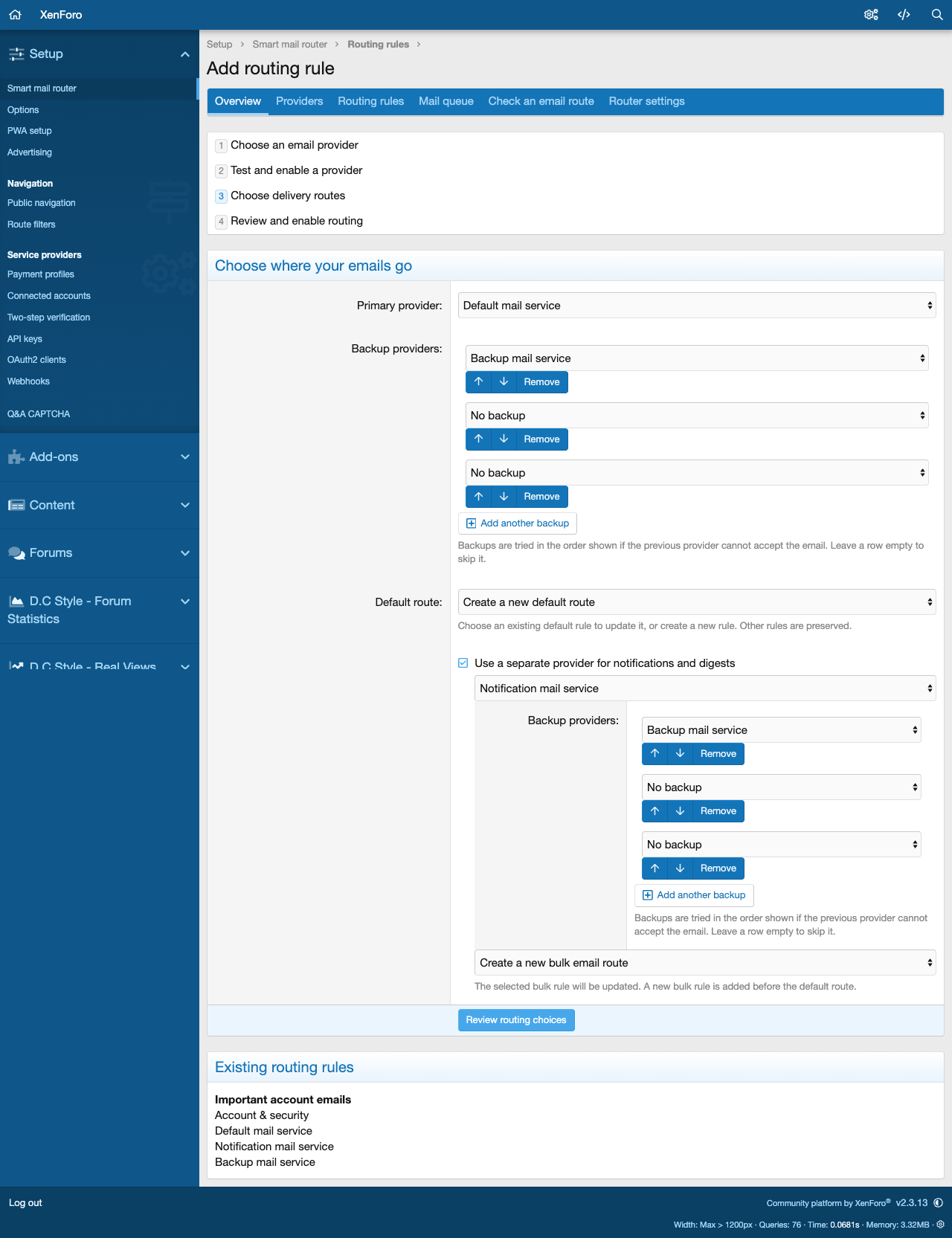
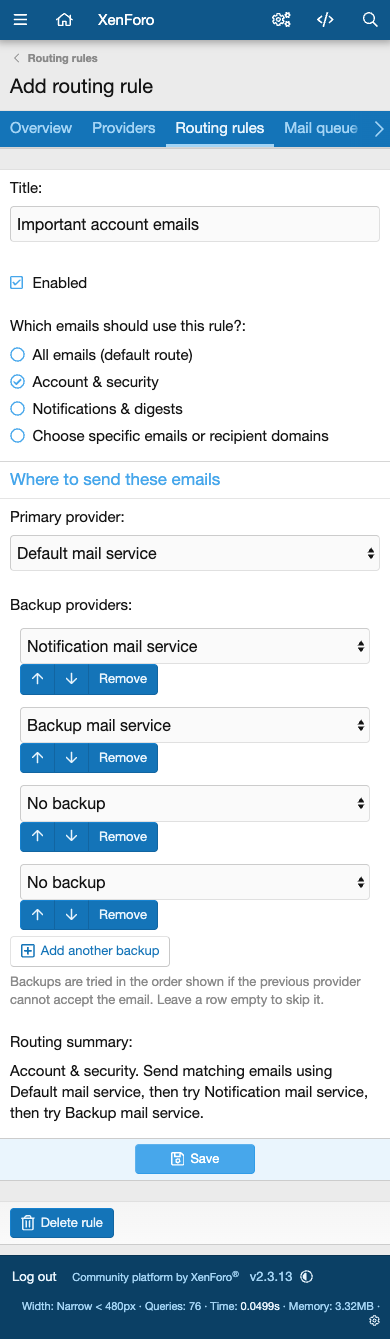
Use one provider for account and security emails and another for notifications and digests. Add backups by name, or create a route for a particular recipient domain. Each provider has its own optional hourly and daily sending limits. When a limit is reached, affected emails wait in the persistent queue until an eligible provider has capacity.
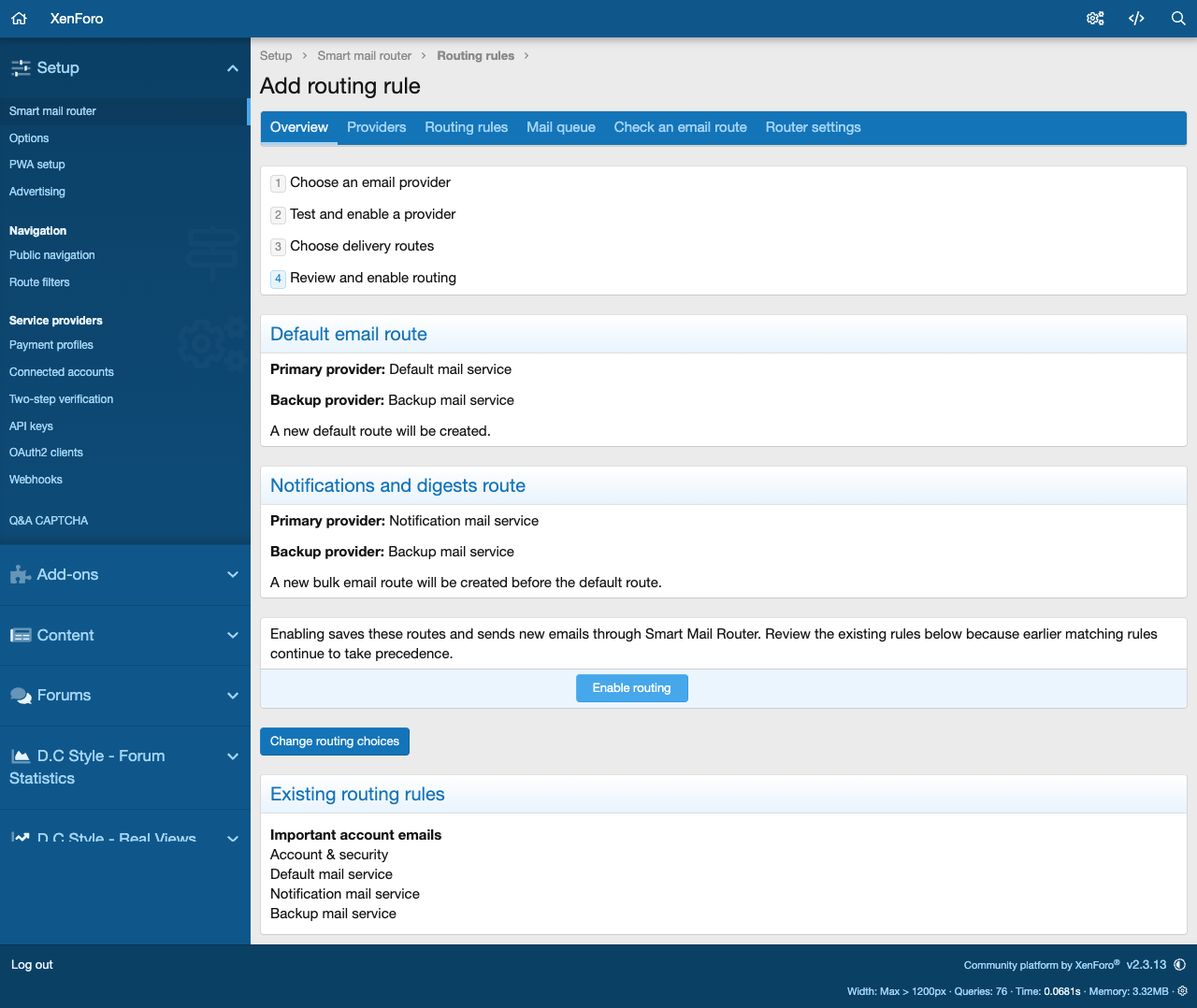
Set it up through clear choices. The four-step guide helps you choose or import a provider, send an explicit test, select your default and optional notification routes, then review and enable routing. Provider dropdowns, backup controls and simple domain choices replace provider IDs and wildcard syntax.
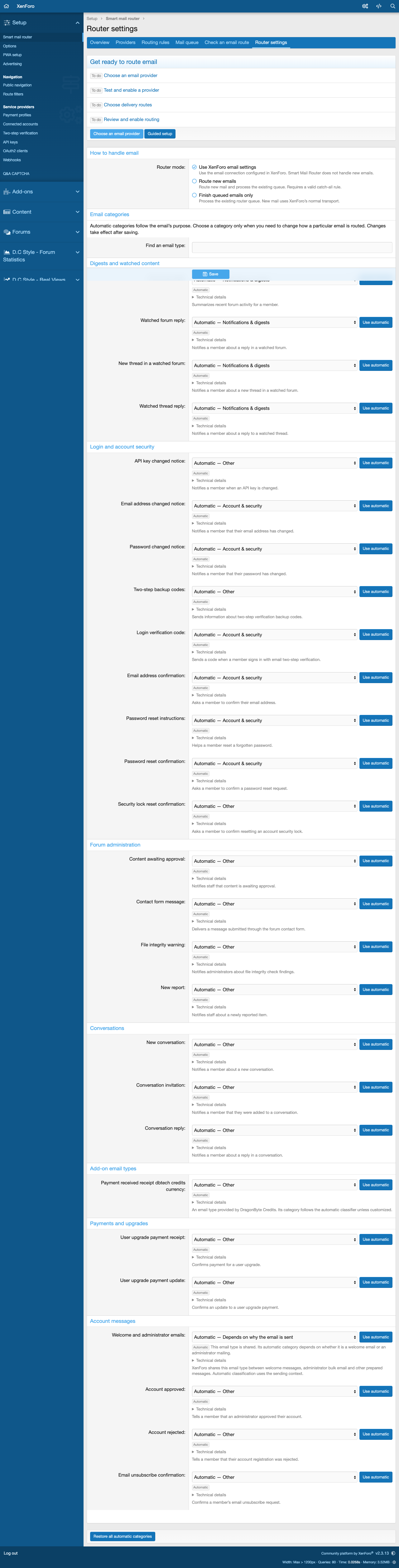
Email categories work automatically. The searchable email list lets you customize a category using a dropdown and return it to Automatic at any time. Shared welcome and administrator emails keep their sending context when Automatic is selected. You do not need to write JSON or know template identifiers.
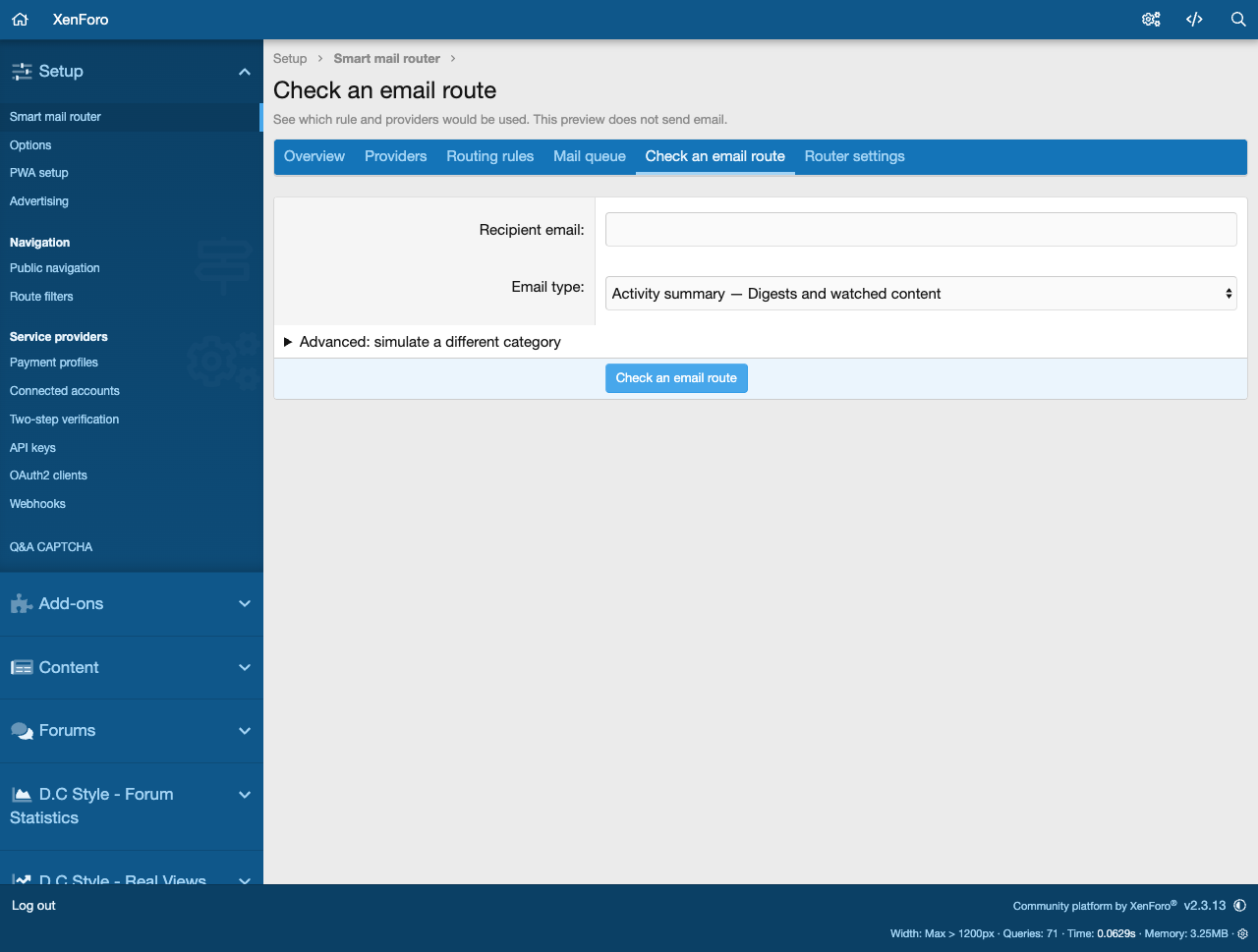
Keep track of mail waiting to be sent. Review queued email, provider health, recent accepted submissions and failed attempts in the Admin CP. Temporary failures can move to a backup provider; deferred mail stays stored for later processing. The route checker explains which rule and provider chain would be used without sending an email or consuming quota.
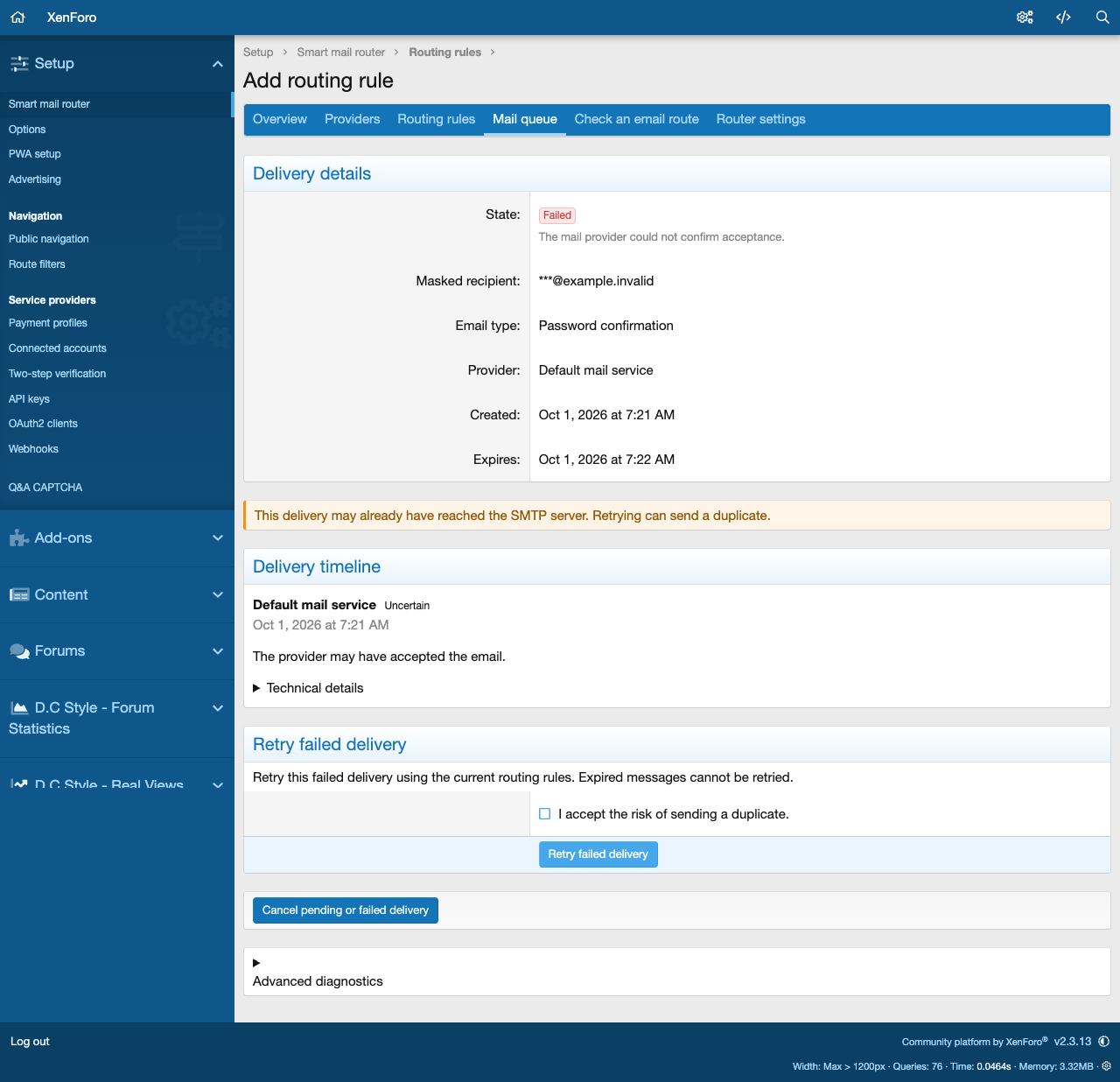
Pause delivery, finish the existing queue before returning to normal forum sending, or retry eligible failed messages after fixing a problem. Recipients are masked in lists, saved credentials and queued content are encrypted, and technical diagnostics remain available in expandable details.
What to expect: Smart Mail Router manages outgoing SMTP submission. Acceptance by a provider does not confirm inbox delivery. An interrupted submission may be retried and can produce a duplicate; the add-on flags that possibility. Provider-specific spam filtering, reputation, DNS records and account restrictions still affect your email.
Add at checkout
24 months of updates instead of 12
+$14.25
We install it for you
+$25.00
You can pick these in the cart.
Reviews
Sign in to write a reviewNo reviews yet. Only customers who bought it can review.
Questions 5
Answered by the D.C Style team.
Which versions of XenForo does Smart Mail Router need?
Smart Mail Router needs XenForo 2.2 or later.
The current release is 1.0.0, published on 1 October 2026. Queued mail is kept across supported XenForo 2.2 to 2.3 transitions, so upgrades in that range do not lose waiting email.
Answered by D.C Style ·