
Story
v2.3.1 · XenForo 2.3.0+ · Updated
by D.C Style · Add-ons
Bring the power of Instagram and Facebook Stories to your XenForo community.
- v2.3.1
- XenForo 2.3.0+
- Updated
- 201 KB
$39.00
one-time
Includes 12 months of updates. Renew for $29.00 if you want more — never automatic.
- Licence key and download right after payment
- Not working as described? See the refund policy
At checkout you can add 24 months of updates (+$21.75) or we install it (+$25.00).
Also in 1 bundle
Engagement Engine
3 add-ons · save 30%
$55.00
Better together
Save 30%
Two more add-ons for $16 more
Profile Post Share and Rock Paper Scissors in Engagement Engine.
$55.00
regular price $79.00
View bundle
Licence & help
- Use on one XenForo installation
- Updates and support for 12 months
- Optional renewal at $29.00 for another 12 months of updates & support. Never charged automatically.
- Keeps working after updates end
What your licence covers
1XenForo install
12 moof updates
12 moof support
Keeps working after updates end. Renew for $29.00 for another 12 months, never charged automatically.
You may also like
More in Add-onsYou May Also Like
-
 AI Disclosure Label
Add-ons
45 downloads
Free
AI Disclosure Label
Add-ons
45 downloads
Free
-
 Quote Backlinks
Add-ons
69 downloads
Free
Quote Backlinks
Add-ons
69 downloads
Free
-
 AI Crawler Blocklist
Add-ons
46 downloads
Free
AI Crawler Blocklist
Add-ons
46 downloads
Free
-
 Real Views
Add-ons
$39.00
Real Views
Add-ons
$39.00
From the blog
Screenshots
9 images · tapclick to enlarge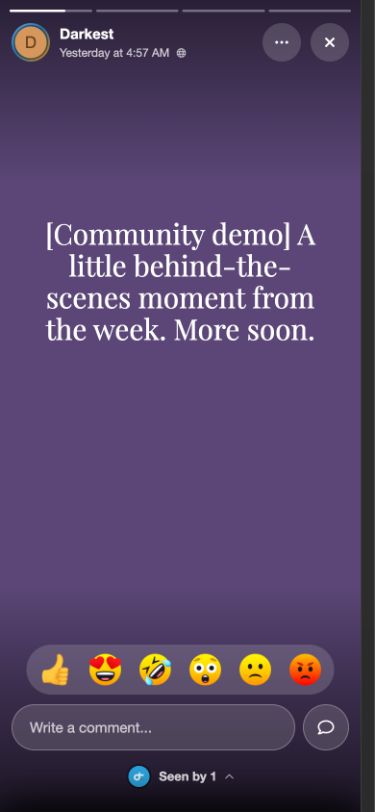
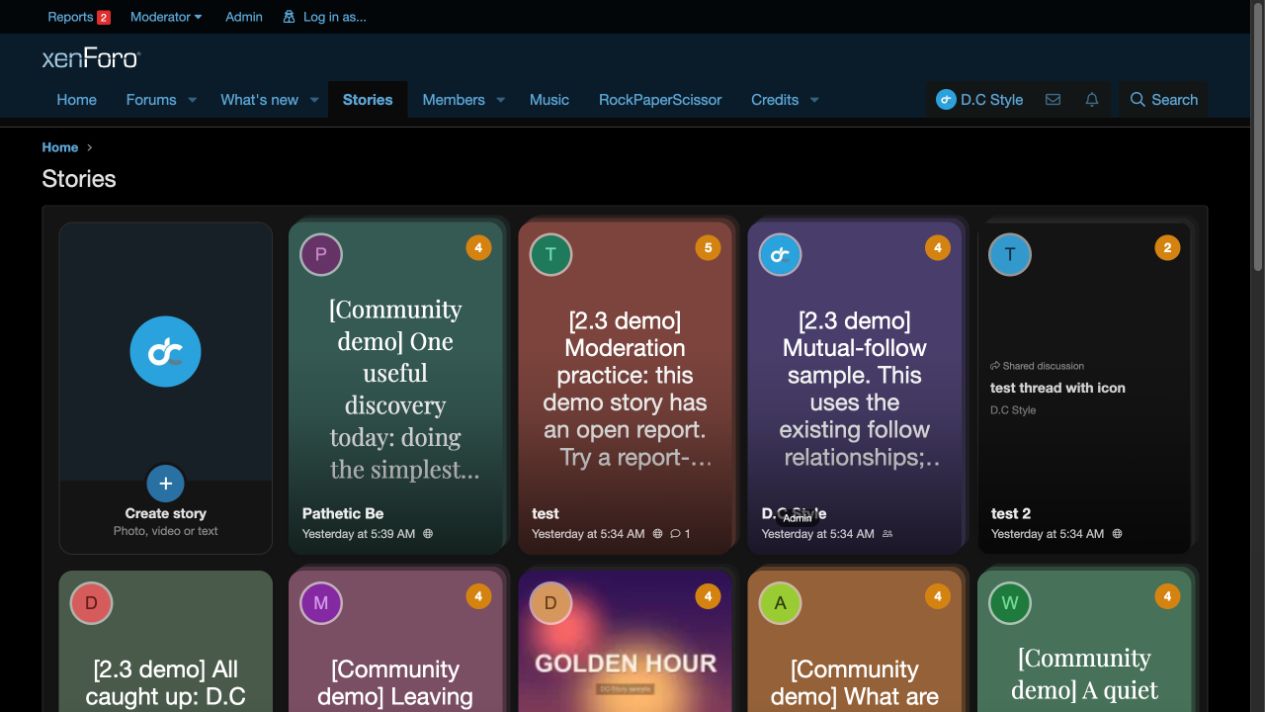
Description
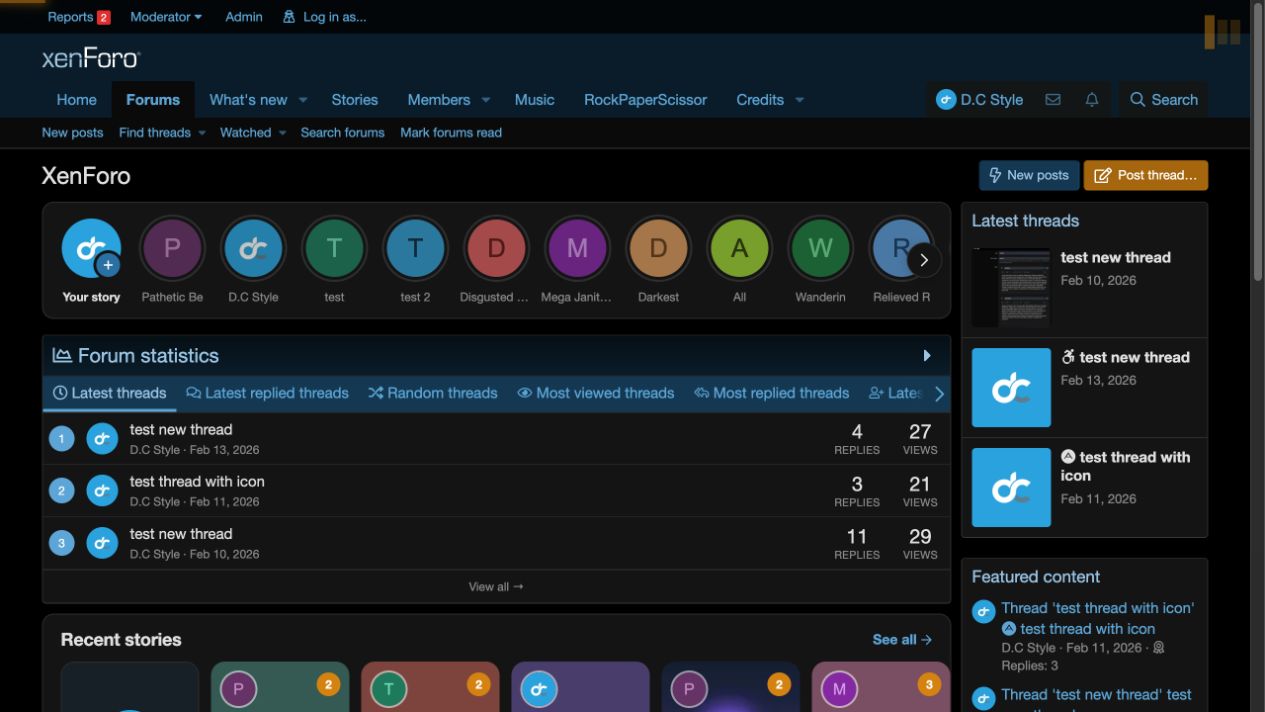
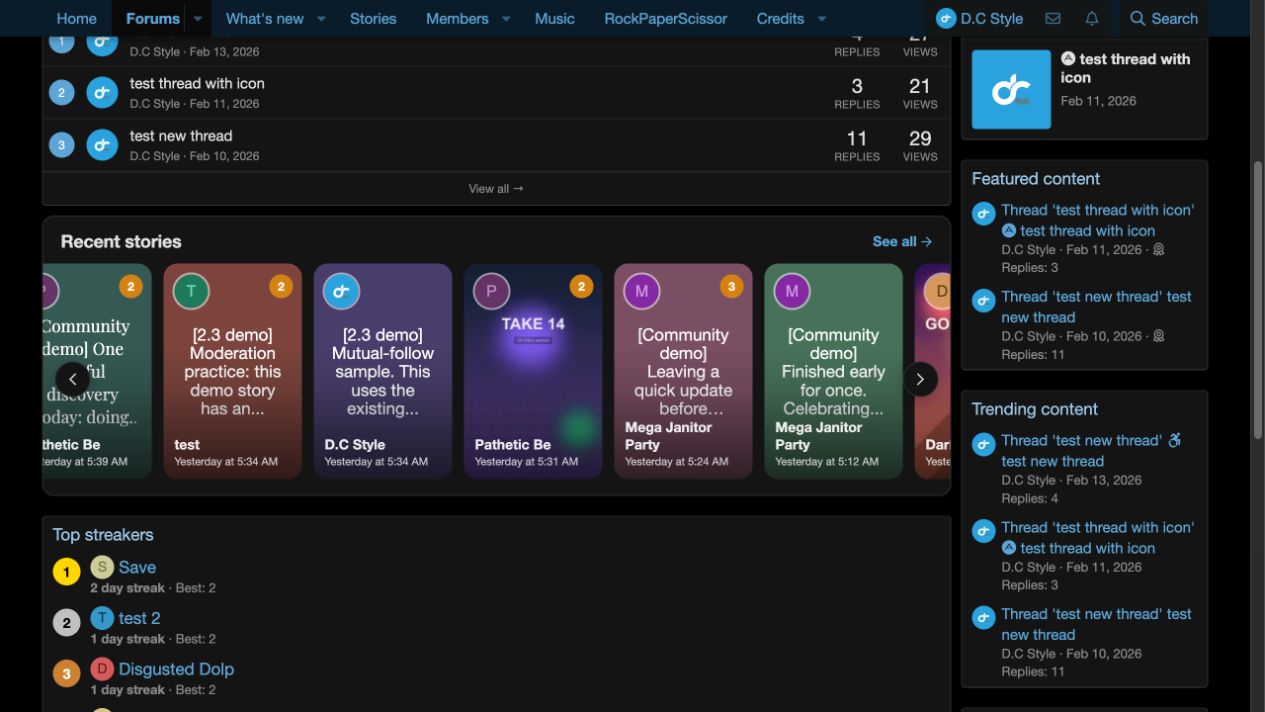
Transforms your XenForo forum into a modern social platform by adding ephemeral, visual stories that your members already know and love. Users can share images, videos, and stylized text stories that appear in a familiar stories bar — creating a fast, casual way to engage beyond traditional threads and posts.
Story types
Members can share several types of stories.
- Images — Upload photos with optional captions.
- Videos — Share short clips with permission-controlled uploads.
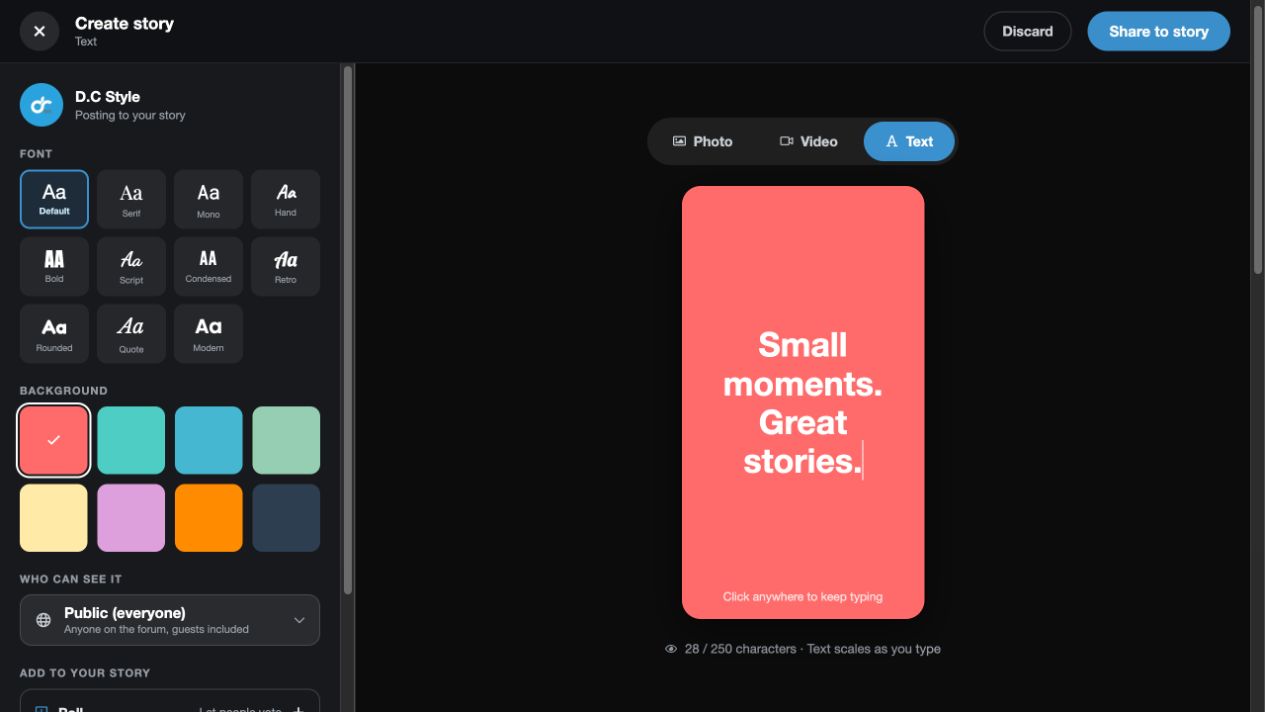
- Text — Customize stories with background colors and font styles.
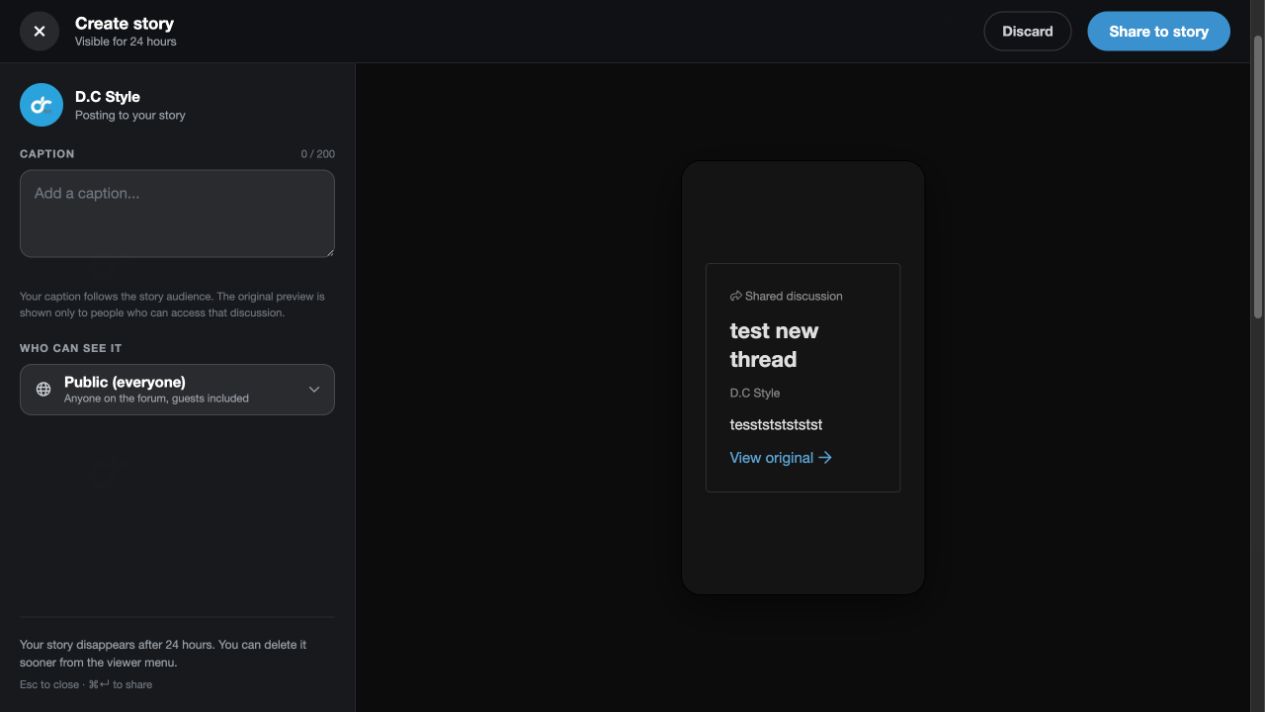
- Shared content — Share threads and posts with attributed previews and optional captions.
Image, video, and text stories support polls. Shared content always respects the original forum permissions.
Story viewer and avatar rings
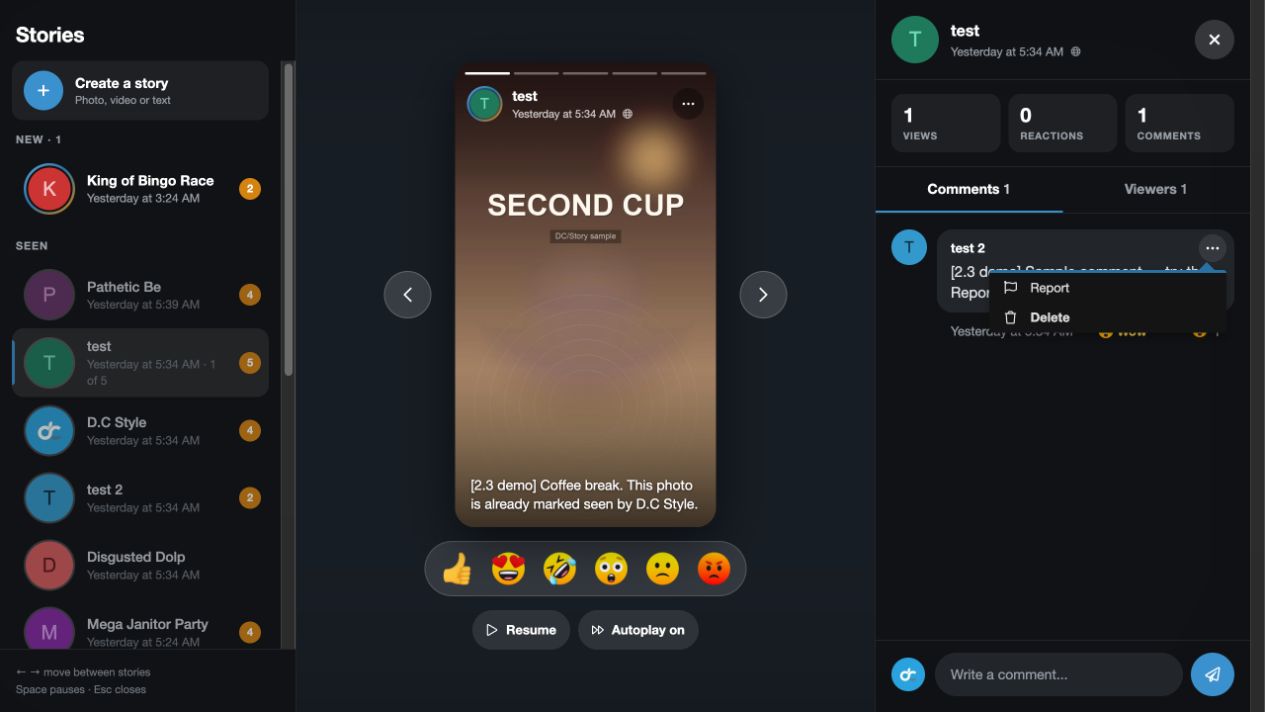
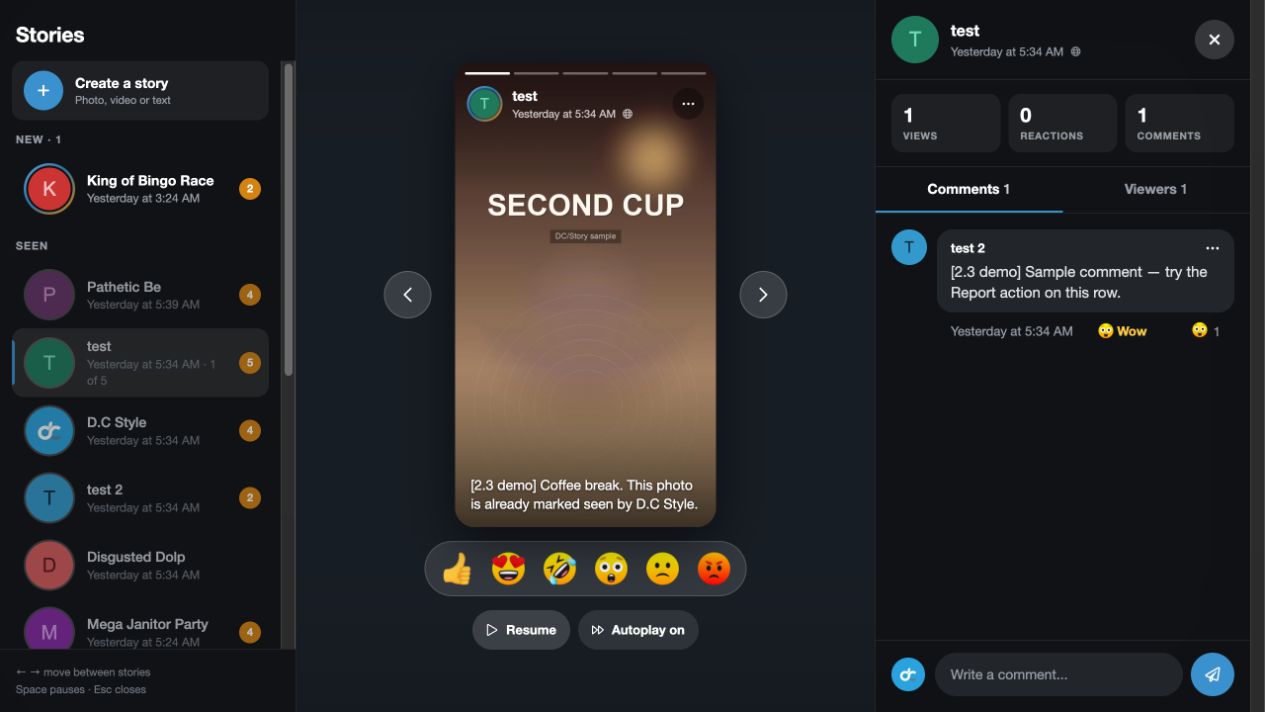
Stories open in a fullscreen viewer with autoplay, keyboard navigation, and mobile swipes. Avatar rings show available and unseen stories. Click an avatar to watch.
Privacy controls
Choose who can see each story.
- Public — Everyone, including eligible guests.
- Members only — Registered members.
- Mutual follows — Members who follow each other.
- Only me — The story author.
Admins set the default audience. Authorized members can change it per story.
Reactions, comments, and reports
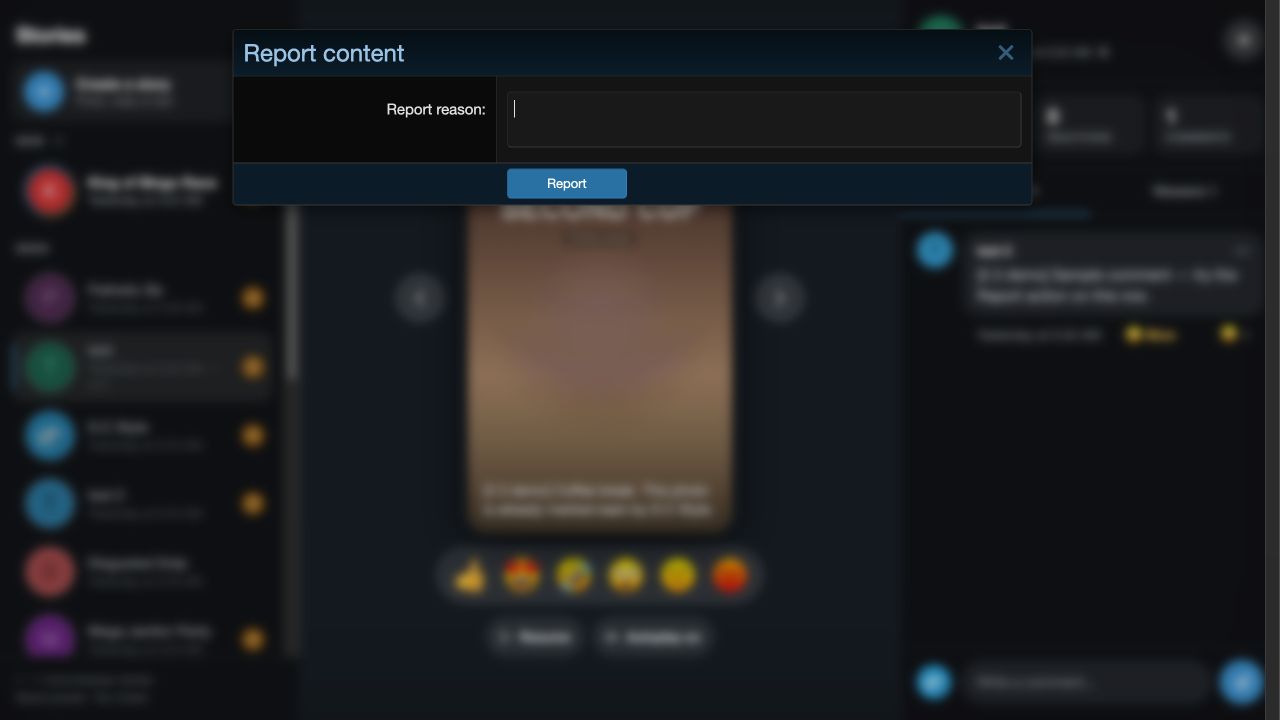
Stories and comments use native XenForo reactions. Members can comment without reloading, with compact reaction summaries and action menus. Report stories or comments through XenForo’s report centre. Reported evidence stays protected while reports remain open.
Highlights
Preserve favorite stories in named collections with custom covers. Display collections on member profiles while respecting story privacy.
Streaks and badges
Track daily posting streaks, personal bests, and configurable milestones. Recognize staff, newcomers, veterans, top contributors, and featured authors with badges.
Pins and Story of the Day
Authorized members can pin important stories.
Story guides
1Add at checkout
24 months of updates instead of 12
+$21.75
We install it for you
+$25.00
You can pick these in the cart.
Reviews
Sign in to write a reviewNo reviews yet. Only customers who bought it can review.
Questions 5
Answered by the D.C Style team.
Which version of XenForo do I need to run Story?
Story 2.3.1 needs XenForo 2.3.0 or later.
If your forum is still on XenForo 2.2, version 1.0.4 was the last build made for that branch.
Answered by D.C Style ·
Story is in your cart
$39.00 · New licence
Better together · save 30%
Story
Profile Post Share
 Rock Paper Scissors
Two more add-ons for $16 more, as Engagement Engine.
Rock Paper Scissors
Two more add-ons for $16 more, as Engagement Engine.
Story
Profile Post Share
Rock Paper Scissors
One by one $79.00
$55.00
