Turn your XenForo forum into a gaming hub with Rock Paper Scissors, a fully-featured multiplayer game add-on powered by DBTech Credits. Whether your members want a quick arcade match or a high-stakes 8-player tournament, this add-on delivers an engaging, bet-driven experience that keeps users coming back.
Features
Multiplayer Tournaments (2–8 Players)
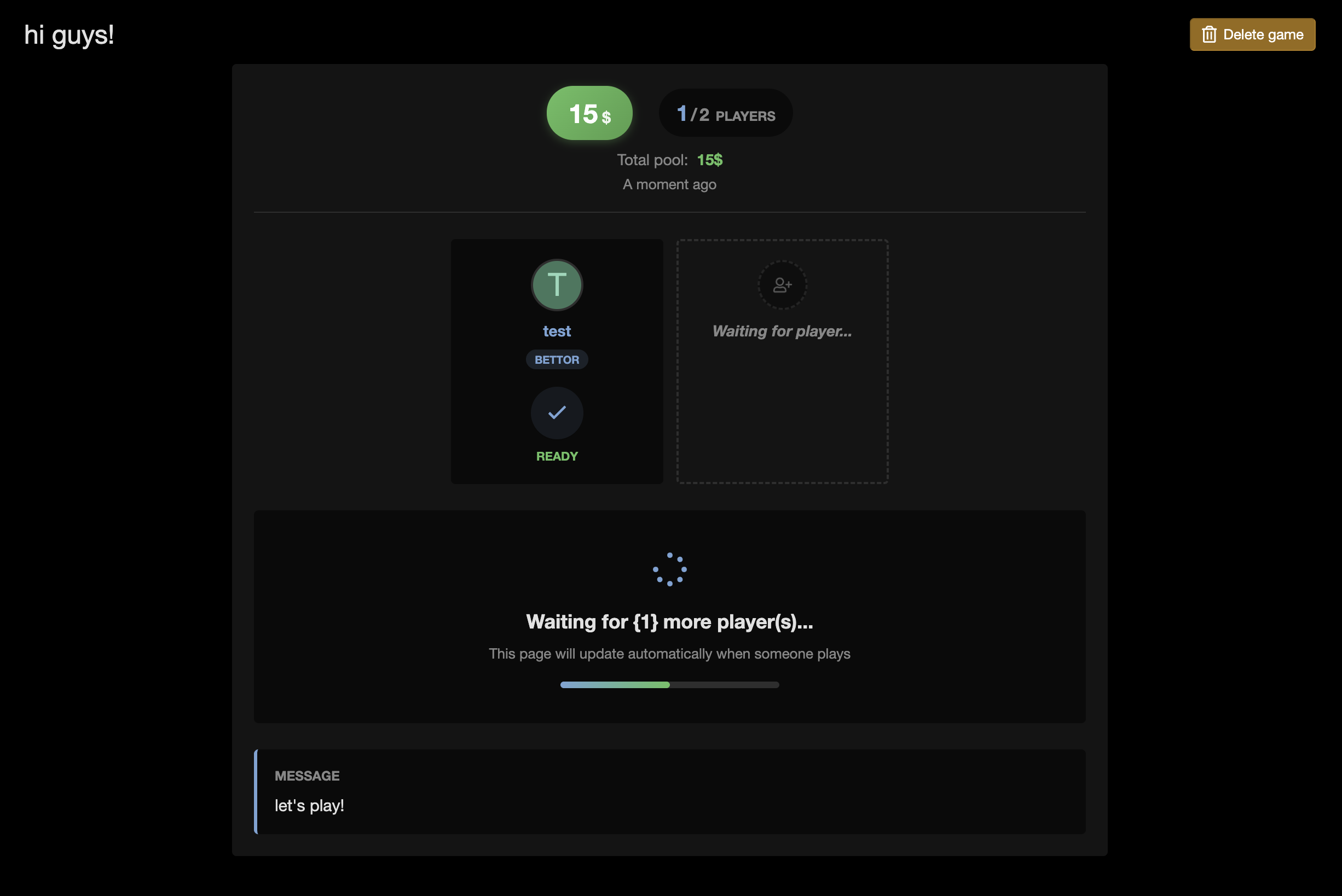
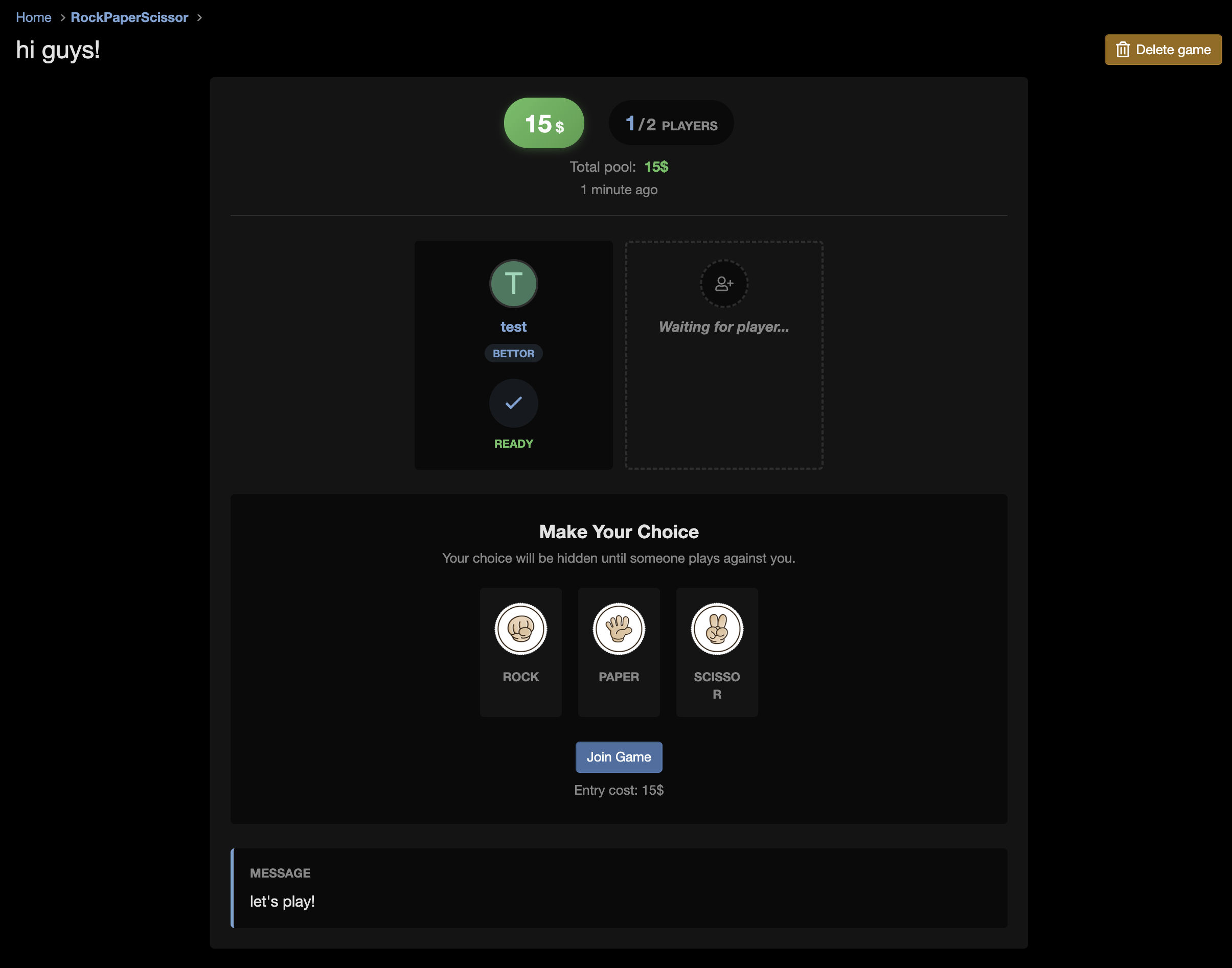
Create competitive games with up to 8 players using an automatic elimination bracket system. Each game scales dynamically — 2 players for a quick duel, 3–4 players for a 2-round battle, or 5–8 players for a full 3-round tournament. Players join open games, lock in their hidden choice, and the bracket resolves automatically once all slots are filled. The final winner takes the entire credit pool.
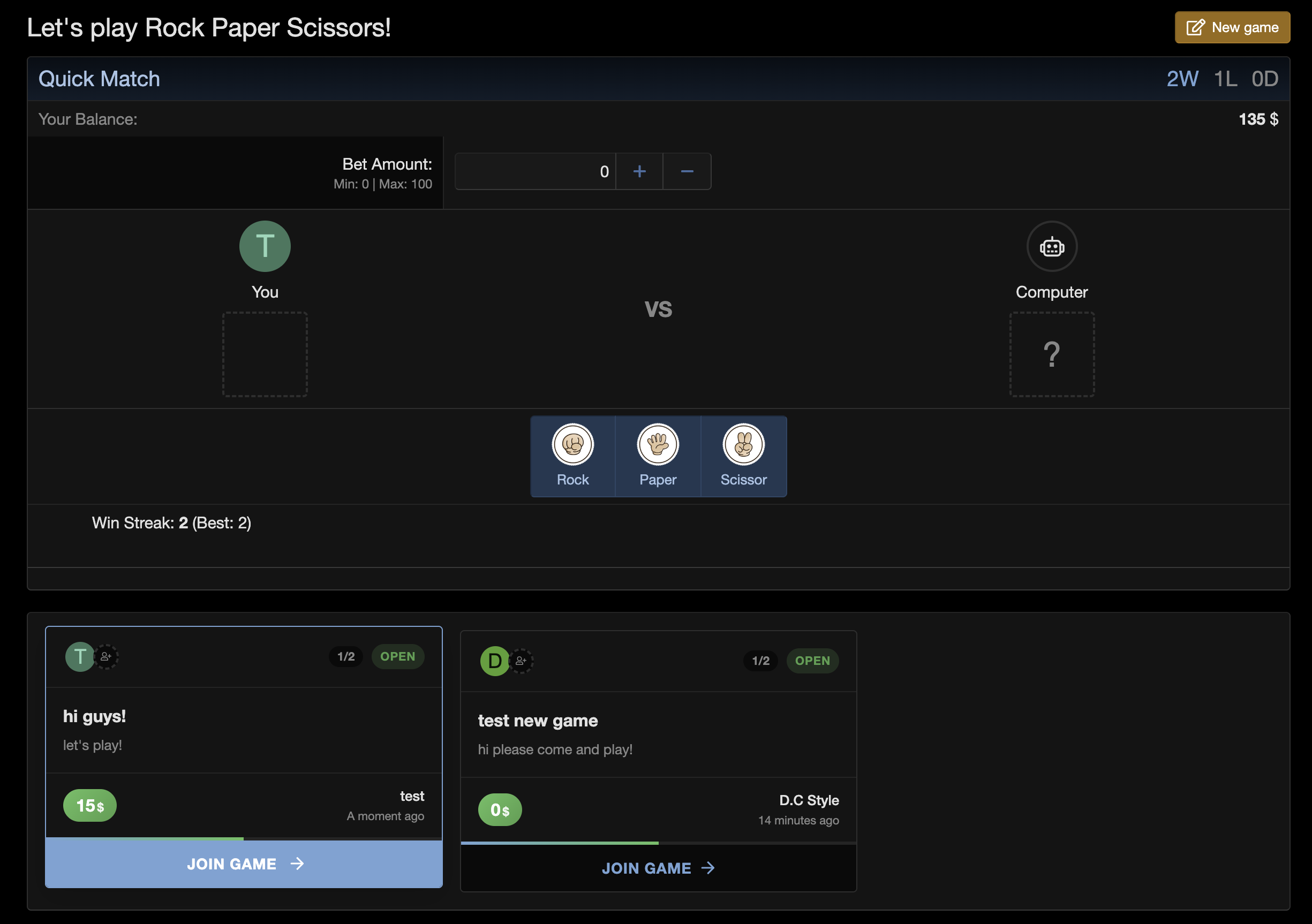
Quick Match vs Computer
Jump into an instant arcade-style match against the computer — no waiting for opponents. Track your session stats including wins, losses, draws, current win streak, and best streak. Reset anytime and start fresh. Perfect for casual play or testing strategies before entering a real tournament.
Credits & Betting System
Fully integrated with DBTech Credits for a real in-forum economy:
Configurable bet limits — Set minimum and maximum bet amounts to suit your community
Tax/commission system — Apply a percentage-based tax on each entry to manage your economy (default: 2%)
Winner-takes-all payouts — The champion receives the total pool (bet × number of players), with tax already deducted at entry
Customizable currency — Configure the credits column and currency symbol to match your setup
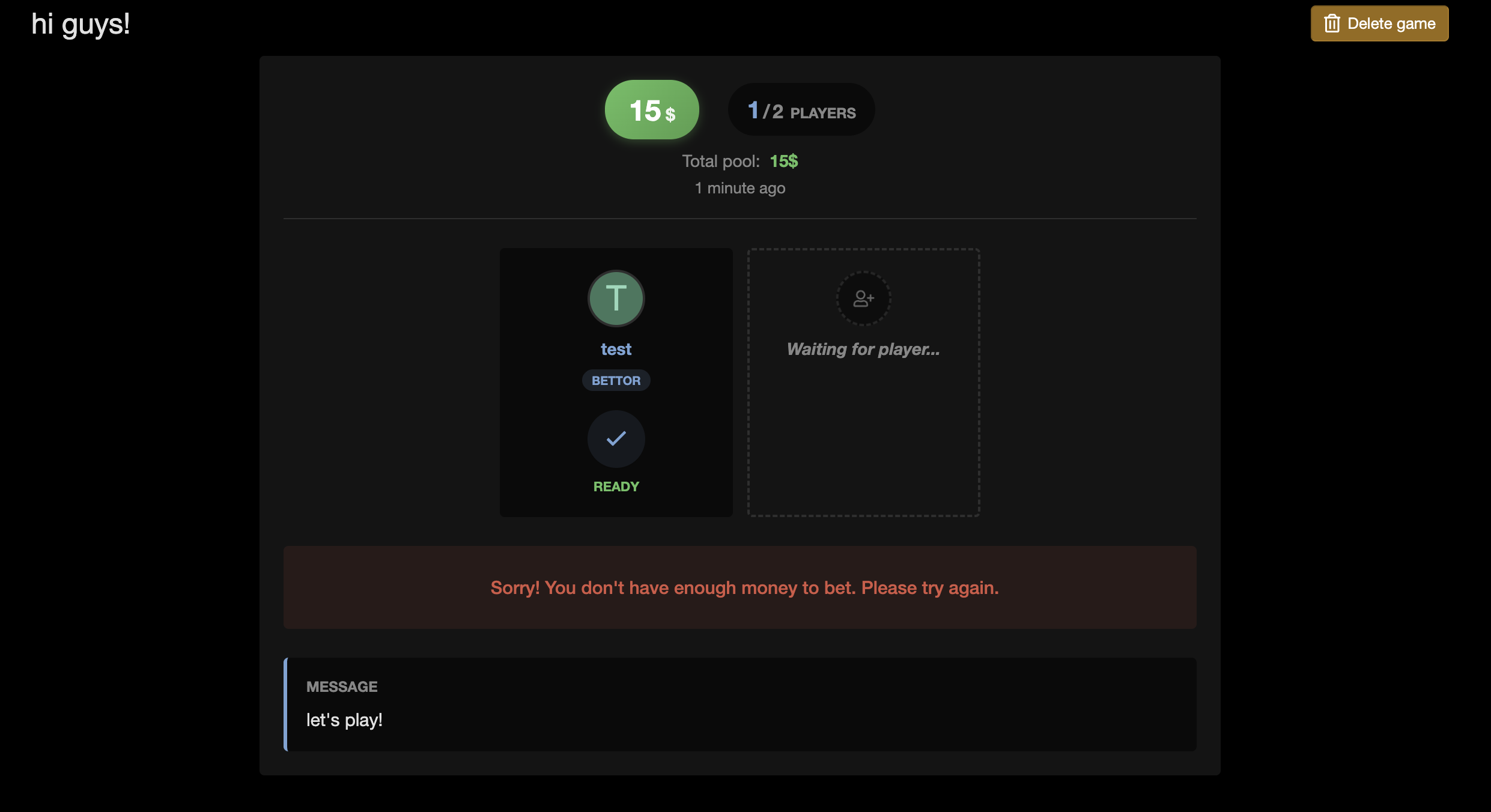
Balance protection — Players can't bet more than they have
Admin Controls
Full administrative control over the game system:
Bet limits — Set min/max bet amounts globally
Tax rate — Configure the percentage deducted per player entry
Permissions — Granular control over who can play, delete their own games, or delete any game
Auto-cleanup cron job — Closed games are automatically purged daily to keep your database clean
Custom page title — Brand the game page with your own heading
User Notifications
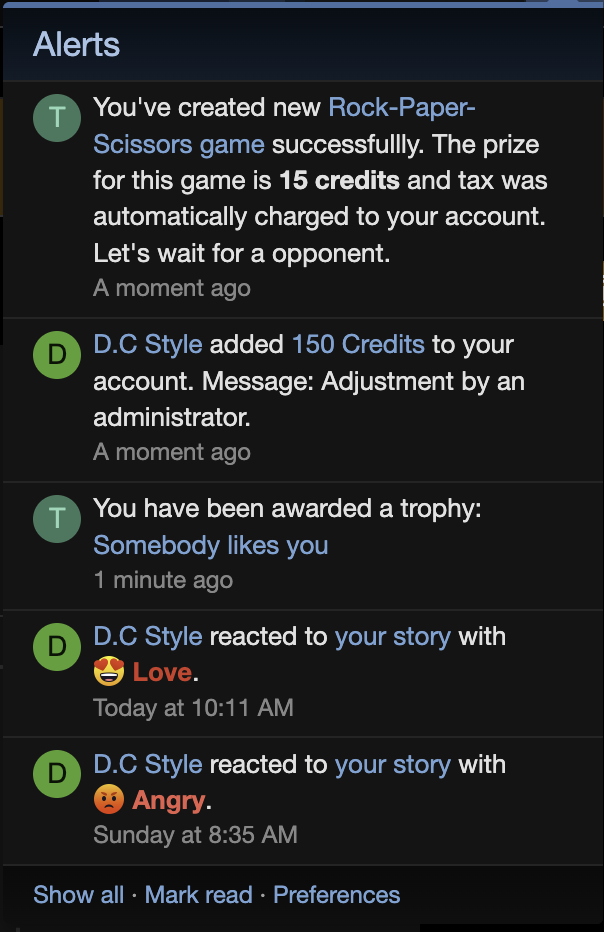
Players stay informed with XenForo's built-in alert system:
Game created — Confirmation when you start a new game
You won! — Victory alert with the prize amount
You lost — Notification with the game result
Draw — Alert when a match ends in a tie
Responsive & Modern UI
A polished interface designed for both desktop and mobile:
Card-based game grid — Browse open and closed games in a clean, responsive layout
Player avatars — See who's in each game at a glance, with overflow badges for larger tournaments
Visual choice picker — Select rock, paper, or scissors with interactive image buttons
Tournament bracket view — Follow the elimination rounds in multi-player games
Progress indicators — See how many slots remain in open games
Smooth animations — Hover effects, selection feedback, and transition animations throughout
Real-Time Updates
No page refreshes needed — games update live via AJAX polling:
See new players join in real time
Game results appear instantly when the final player locks in
Tournament brackets populate automatically upon resolution
Installation
Steps
Upload the contents of the upload directory to your XenForo root
Go to Admin Panel > Add-ons > Install/upgrade from archive (or install from the add-on list)
Configure options under Setup > Options > D.C Style - Rock Paper Scissors
Set user group permissions under Users > User group permissions > D.C Style - RPS
Configuration Options
Option
Default
Description
Credits Column
dbtech_credits_credits
DBTech Credits database column
Currency Symbol
$
Symbol displayed next to amounts
Page Title
Let's play Rock Paper Scissors!
Heading shown on the game index
Minimum Bet
0
Lowest allowed bet amount
Maximum Bet
100
Highest allowed bet amount
Tax Percentage
2%
Tax deducted from each player's entry
Permissions
Permission
Description
Play RPS
Allow users to create and join games
Delete Own
Allow users to delete games they created
Delete Any
Allow moderators/admins to delete any game
Compatibility
My forum runs
Release
Needs XenForo
Tested on
PHP
1.0.3 Patch Level 227 Feb 2026
2.3.0+
—
—
1.0.3 Patch Level 125 Feb 2026
2.3.0+
—
—
1.0.312 Feb 2026
2.3.0+
—
—
1.0.2 Patch Level 110 Feb 2026
2.3.0+
—
—
1.0.210 Feb 2026
2.3.0+
—
—
1.0.0 Beta 319 Aug 2025
2.2.0+
—
—
"Needs" is the oldest version a release installs on. Something not working on yours? Tell us.
Version history
6 releases
· updated
· supports XenForo 2.2.0+
v1.0.3
Patch Level 2
PL2Patch Level 2Latest
· XFXenForo 2.3.0+· 374.2 KB1 new
NewAdded missing alert notifications
v1.0.3
Patch Level 1
PL1Patch Level 1
· XFXenForo 2.3.0+· 372.9 KB1 fixed
FixedFixed error “An invalid selection has been made.” when joining a game
v1.0.3
· XFXenForo 2.3.0+· 372.8 KB2 fixed
FixedFixed wrong winner when there's a tie result in game
FixedFixed auto-polling causes accidentally reset user's choice before submit
v1.0.2
Patch Level 1
PL1Patch Level 1
· XFXenForo 2.3.0+· 367.0 KB1 fixed
FixedFixed icons missing
v1.0.2
· XFXenForo 2.3.0+· 50.1 KB2 new · 1 changed
ChangedUpdate UI/UX to play in real-time interactions
NewAdded possibility to play with computer
NewAdded possibility to play with more than 2 players (Maximum up to 8 players per game)
v1.0.0 Beta 3
· XFXenForo 2.2.0+· 340.5 KB2 fixed
FixedFixed errors missing images.
FixedFixed errors missing phrases.
Rock Paper Scissors guides
1
1 guide in the Knowledge BaseStep-by-step help from the Knowledge Base, in the order to read them.
It requires XenForo 2.3.0 or later and DragonByte Credits 5.6.0 or newer. Install DragonByte Credits first, because XenForo will not install Rock Paper Scissors until Credits is installed and active. When you upload the files, include the whole upload folder, including styles/DC/RPS, which holds the game images. You also need to connect it to a DBTech Credits currency column under Setup > Options > D.C Style - Rock Paper Scissors.
Answered by D.C Style ·
It costs $25.00 and includes 12 months of updates and support. The current version is 1.0.3 Patch Level 2, released 2026-02-27.
Answered by D.C Style ·
The tax is charged on top of each bet, not taken out of it. With a 100 bet and the default 2% tax, joining costs 102. In a game between members, the winner takes the prize pool, and a draw means the players pick again. Against the computer, a win pays the bet minus the tax, a loss costs the bet plus the tax, and a draw changes nothing.
Answered by D.C Style ·
Yes, Quick Match vs Computer is included. It tracks session stats including wins, losses, draws, current win streak and best streak, and players can reset anytime. It is a good way to try the game before joining a real tournament.
Answered by D.C Style ·
Give the Registered group the "Can play" permission under Groups & permissions > User group permissions > D.C Style - Rock Paper Scissors permissions. That permission lets members create and join games and shows the game's tab in your navigation. Members without it do not see the tab at all. The game itself lives at /rps on your forum, and there are also "Can delete own game" and "Can delete any game" permissions for cancelling games and moderation.
Answered by D.C Style ·
What do I need to install Rock Paper Scissors?
It requires XenForo 2.3.0 or later and DragonByte Credits 5.6.0 or newer.
Install DragonByte Credits first, because XenForo will not install Rock Paper Scissors until Credits is installed and active. When you upload the files, include the whole upload folder, including styles/DC/RPS, which holds the game images. You also need to connect it to a DBTech Credits currency column under Setup > Options > D.C Style - Rock Paper Scissors.
Answered by D.C Style ·
How much does Rock Paper Scissors cost and what does it include?
It costs $25.00 and includes 12 months of updates and support.
The current version is 1.0.3 Patch Level 2, released 2026-02-27.
Answered by D.C Style ·
How do the bets and tax work?
The tax is charged on top of each bet, not taken out of it.
With a 100 bet and the default 2% tax, joining costs 102. In a game between members, the winner takes the prize pool, and a draw means the players pick again. Against the computer, a win pays the bet minus the tax, a loss costs the bet plus the tax, and a draw changes nothing.
Answered by D.C Style ·
Can members play against the computer without waiting for another player?
Yes, Quick Match vs Computer is included.
It tracks session stats including wins, losses, draws, current win streak and best streak, and players can reset anytime. It is a good way to try the game before joining a real tournament.
Answered by D.C Style ·
How do I let members see and play the game?
Give the Registered group the "Can play" permission under Groups & permissions > User group permissions > D.C Style - Rock Paper Scissors permissions.
That permission lets members create and join games and shows the game's tab in your navigation. Members without it do not see the tab at all. The game itself lives at /rps on your forum, and there are also "Can delete own game" and "Can delete any game" permissions for cancelling games and moderation.