Thumbnail

v1.1.0 · XenForo 2.3+ · Updated

by D.C Style · Add-ons

Thread thumbnails from images, videos and posters, with configurable source priority and automatically generated cards for XenForo.

  • v1.1.0
  • XenForo 2.3+
  • Updated
  • 656 KB

Screenshots

9 images · tapclick to enlarge

Description

Make threads easier to recognize. Thumbnail adds a visual preview to supported forum lists, widgets and search results. Use an image from the first post, a supported video thumbnail, a poster, an author avatar or your forum’s default image.

Choose what comes first. Set your preferred source order in the Admin CP. Put attachments ahead of posters, prefer author avatars, or make generated cards your first choice. The first enabled, available source wins. Manual image selections and existing legacy image choices stay protected.

Give text-only discussions their own image. Version 1.1.0 can generate a card from the thread title, author, publication date and time, forum name, board name and your own text. Choose Classic, Editorial or Bold, adjust the colors, and add a logo or author avatar. Use the bundled fonts or upload a TrueType font, then preview the design before saving.

Use a wide sharing card for social previews and a compact card inside the forum. By default, generated cards follow real-image sources in the priority list. You can move them higher to give eligible threads a consistent branded appearance, even when a real image is available.

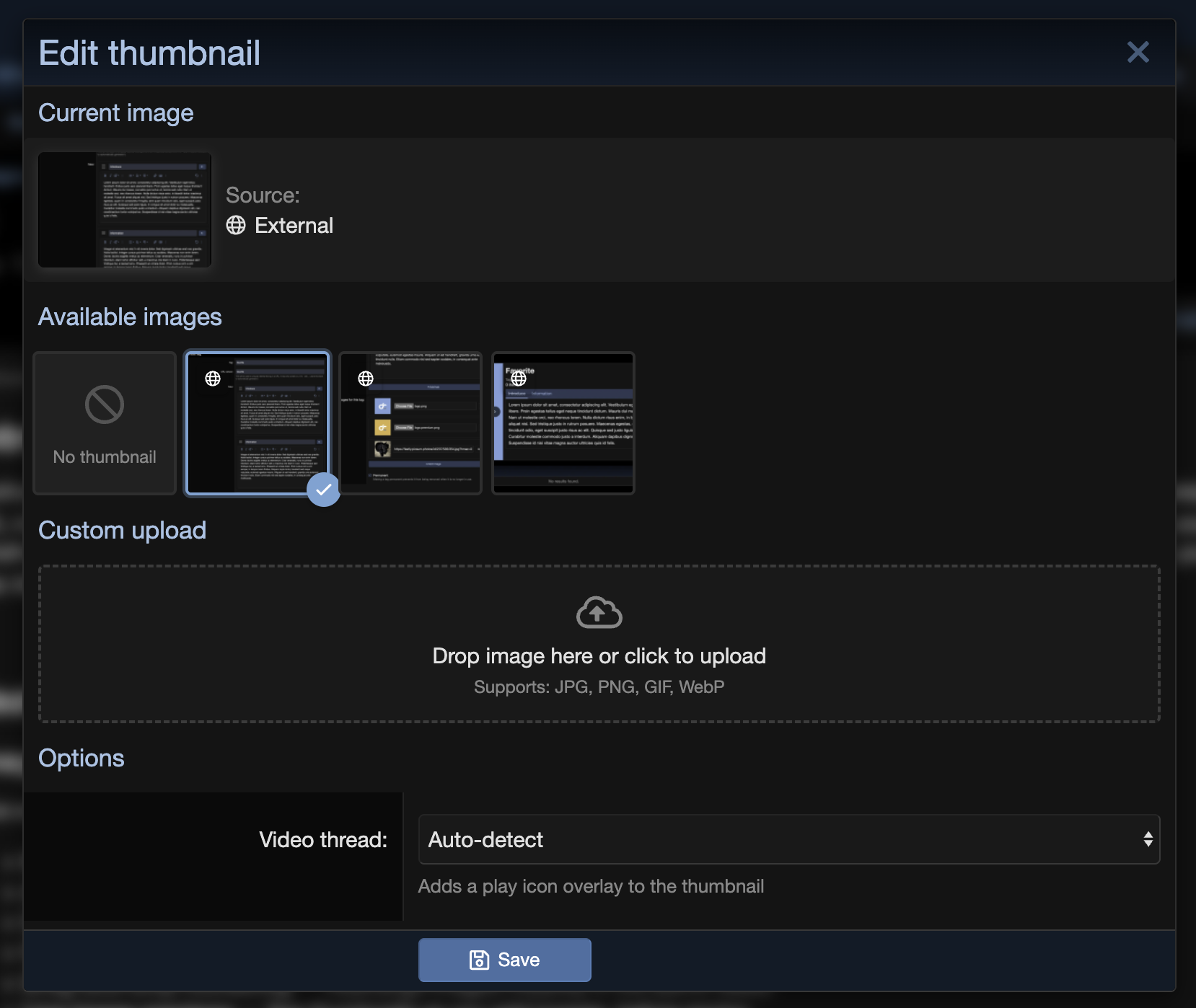
Keep the choices that work for your members. Users with thumbnail-editing permission can select a detected image, upload their own thumbnail, return to Auto detect or keep the existing No thumbnail choice. Optional custom BBCode and TMDB/IMDb lookup support film and television discussions.

Generated cards are created and refreshed through background jobs. Enabling the feature gradually fills eligible existing threads, while new discussions and relevant edits queue fresh work. Cards are generated only for visible threads that guests can read in your enabled forums.

Thumbnail guides

1 guide in the Knowledge Base
  1. Set up Thumbnail: forums, image sources and rebuilding Thumbnail shows nothing until you choose its forums. Pick the forums, decide where images come from, and fill in thumbnails for existing threads. Beginner 4 min · Add-on Guides
Open Thumbnail docs
Need Thumbnail to work differently? We can extend it for your forum, built on the same code and kept compatible with updates.

No reviews yet. Only customers who downloaded or bought it can review.

Questions 5

Answered by the D.C Style team.

Sign in to ask a question

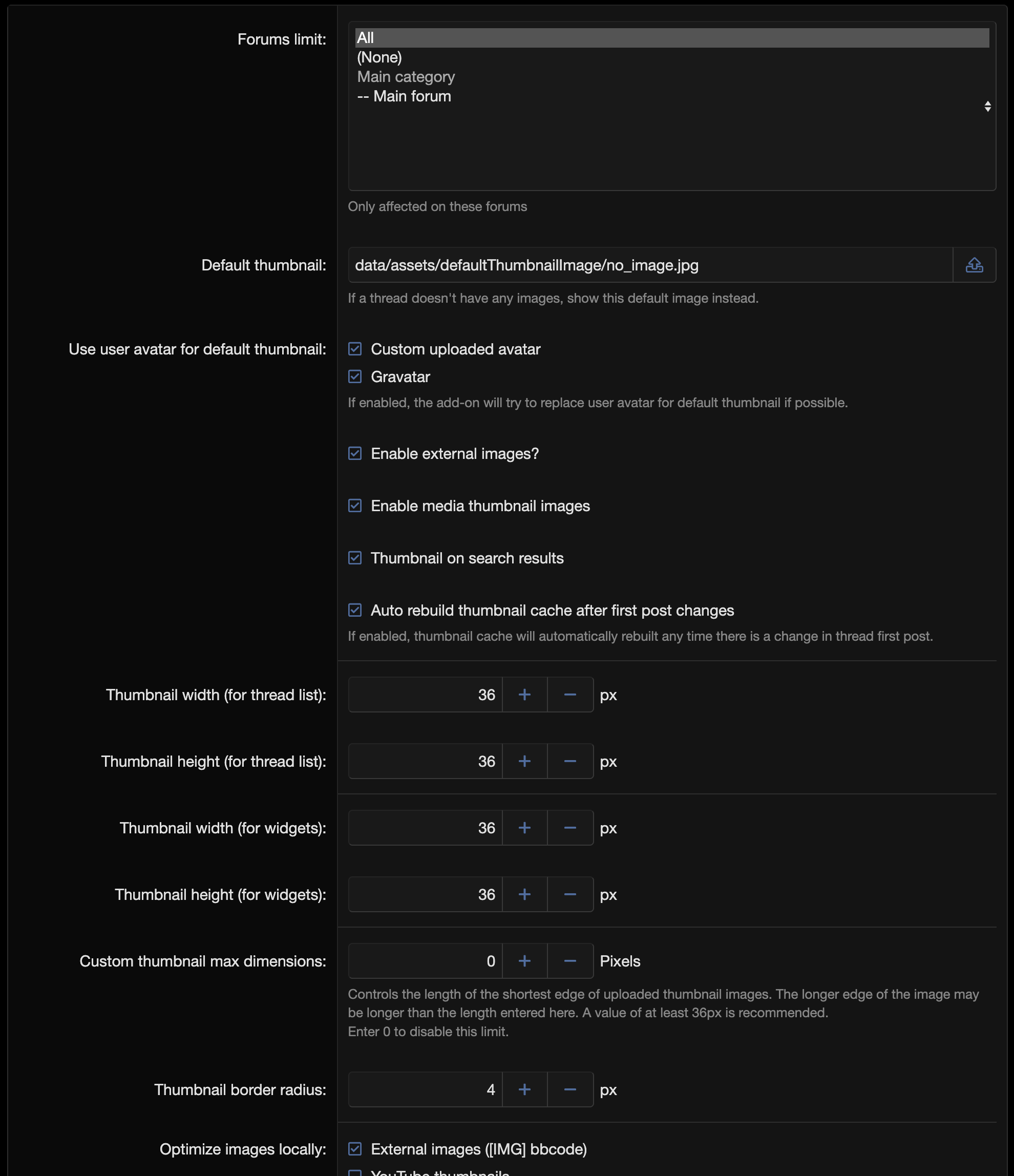
Thumbnail only works in the forums you choose, and no forum is selected by default. Go to AdminCP > Options > D.C Style - Thumbnail and pick your forums in Forums limit, then run AdminCP > Tools > Rebuild caches > Rebuild thread thumbnails to fill in the threads you already have. The add-on needs XenForo 2.3 or later.

Answered by D.C Style ·

It looks at the first post of the thread and takes the first usable image. Attachments are always used; external images posted with [IMG], preview images from embedded YouTube, Vimeo and Dailymotion videos, and posters from custom BBCode tags you select in the ACP can be turned on as sources. If a thread has no image at all, the author's avatar or Gravatar is shown, or your default thumbnail image. Video previews are fetched by your server, so PHP's allow_url_fopen has to be enabled, otherwise only video threads are affected.

Answered by D.C Style ·

New and edited threads get a thumbnail automatically as long as Auto rebuild thumbnail cache after first post changes is on, which it is by default. For older threads, run AdminCP > Tools > Rebuild caches > Rebuild thread thumbnails, and after setting up your poster BBCode tags you can run Fill missing posters from configured BBCode tags to check the ones still without a thumbnail. Review the count shown before starting the rebuild.

Answered by D.C Style ·

Why don't any thumbnails appear after I install it?

Thumbnail only works in the forums you choose, and no forum is selected by default.

Go to AdminCP > Options > D.C Style - Thumbnail and pick your forums in Forums limit, then run AdminCP > Tools > Rebuild caches > Rebuild thread thumbnails to fill in the threads you already have. The add-on needs XenForo 2.3 or later.

Answered by D.C Style ·

Still unsure? Ask us →

Thumbnail

Free · v1.1.0
Download v1.1.0