
Google Drive Attachments
v1.2.0 · XenForo 2.2.0+ · Updated
by D.C Style · Add-ons
Offload your forum's attachments to Google Drive — save server storage, reduce costs, and gain cloud reliability.
- v1.2.0
- XenForo 2.2.0+
- Updated
- 1.5 MB
$25.00
one-time
Includes 12 months of updates. Renew for $25.00 if you want more — never automatic.
- Licence key and download right after payment
- Not working as described? See the refund policy
At checkout you can add 24 months of updates (+$18.75) or we install it (+$25.00).
Also in 1 bundle
Download Hub
2 add-ons · save 22%
$39.00
Better together
Save 22%
One more add-on for $14 more
Advanced Download Pro in Download Hub.
$39.00
regular price $50.00
View bundle
Licence & help
- Use on one XenForo installation
- Updates and support for 12 months
- Optional renewal at $25.00 for another 12 months of updates & support. Never charged automatically.
- Keeps working after updates end
What your licence covers
1XenForo install
12 moof updates
12 moof support
Keeps working after updates end. Renew for $25.00 for another 12 months, never charged automatically.
You may also like
More in Add-onsYou May Also Like
-
 AI Disclosure Label
Add-ons
Free
AI Disclosure Label
Add-ons
Free
-
 Quote Backlinks
Add-ons
39 downloads
Free
Quote Backlinks
Add-ons
39 downloads
Free
-
 AI Crawler Blocklist
Add-ons
Free
AI Crawler Blocklist
Add-ons
Free
-
 Real Views
Add-ons
$39.00
Real Views
Add-ons
$39.00
From the blog
Screenshots
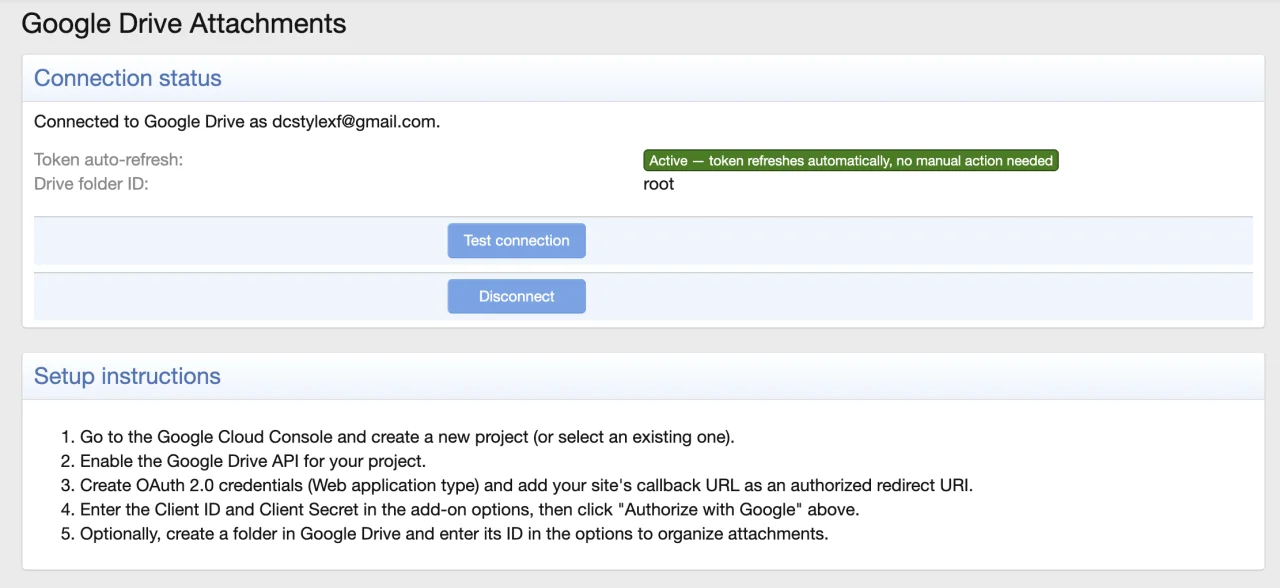
2 images · tapclick to enlarge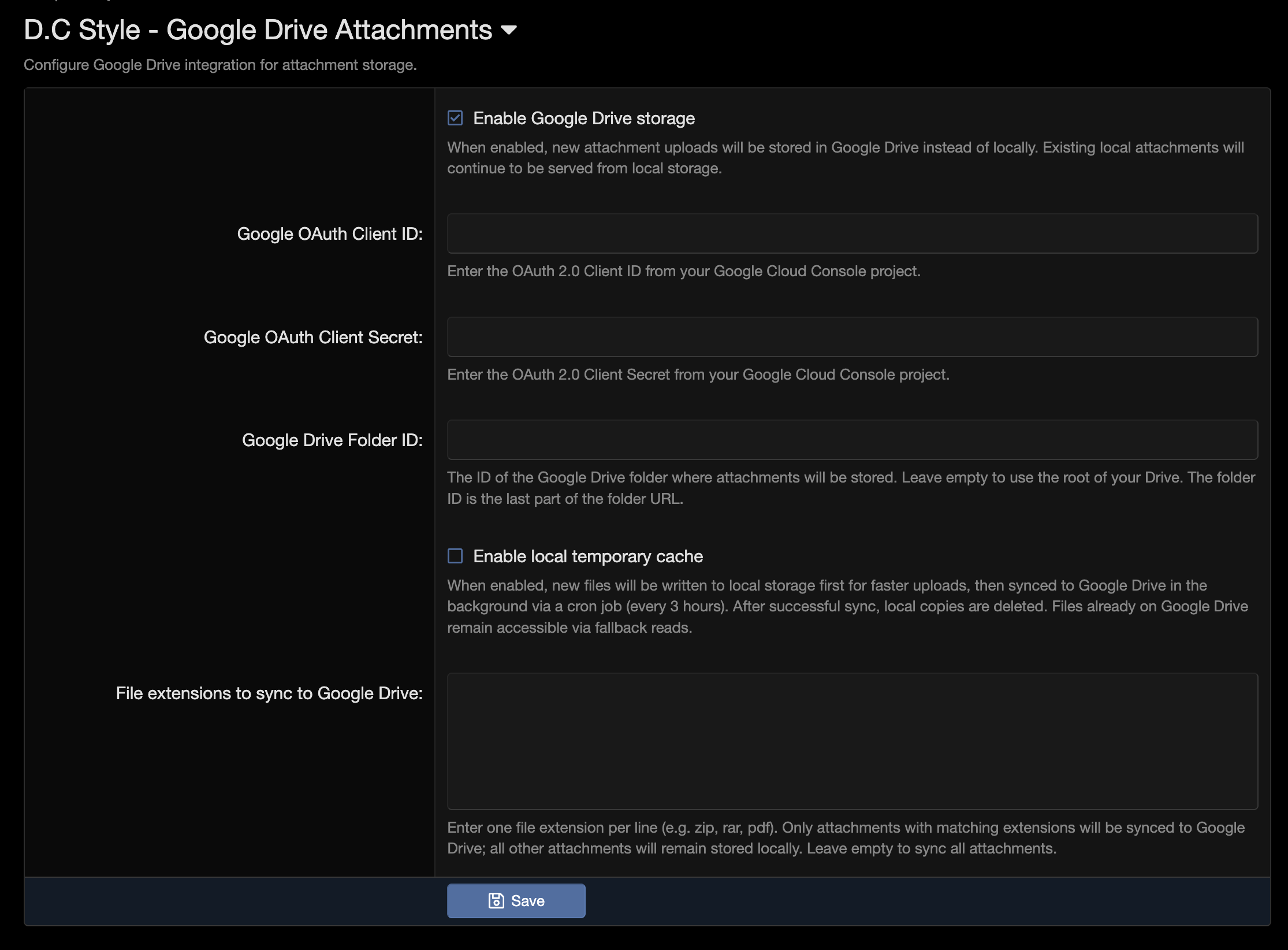
Description
Seamlessly replaces XenForo's local attachment storage with Google Drive. Once enabled, all new uploads go directly to Google Drive via the official API. Existing attachments can be migrated with a single click. Your users notice nothing — uploads, downloads, and thumbnails work exactly as before.
Key benefits:
- Reclaim server storage — attachments live in Google Drive, not on your disk
- Scale without limits — Google Drive offers up to 5TB per account on business plans
- Cloud reliability — Google's infrastructure handles redundancy, backups, and uptime
- Zero user friction — completely transparent; the forum experience is unchanged
- Choose your latency — direct upload, or write-behind caching that keeps posting instant
- Migrate at real speed — concurrent uploads and resumable state make a large back-catalogue practical instead of theoretical
- Store only what matters — an extension filter keeps large archives on Drive and small files local
Two storage modes. Direct mode sends every upload straight to Google Drive as it happens. Local cache mode writes to your server first so posting stays instant, then moves files to Drive on a schedule and deletes the local copy. Pick whichever matches your server: direct if you want nothing on local disk, cached if you want uploads to feel native and are happy for Drive to catch up in the background.
Google Drive Attachments guides
1Add at checkout
24 months of updates instead of 12
+$18.75
We install it for you
+$25.00
You can pick these in the cart.
Reviews
Sign in to write a reviewNo reviews yet. Only customers who bought it can review.
Questions 5
Answered by the D.C Style team.
What do I need before installing Google Drive Attachments?
You need XenForo 2.2.0 or later, and PHP 8.1 or newer.
The add-on bundles Google's own API libraries, and those check the PHP version on every page load, so on PHP 8.0 or older your whole forum stops with an error mentioning "Composer detected issues in your platform". Check your PHP version before you install, not after.
Answered by D.C Style ·
Google Drive Attachments is in your cart
$25.00 · New licence
Better together · save 22%
Google Drive Attachments
 Advanced Download Pro
One more add-on for $14 more, as Download Hub.
Advanced Download Pro
One more add-on for $14 more, as Download Hub.
Google Drive Attachments
Advanced Download Pro
One by one $50.00
$39.00
