XenForo's built-in tag pages are plain and utilitarian — just a list of tagged threads. Advanced Tag View changes that completely. Turn every tag into a rich, visually engaging page with image galleries, custom tabbed content, and a polished layout that keeps visitors exploring your community longer.
Whether you're running a gaming community, a knowledge base, a fan wiki, or any content-heavy forum — this add-on gives your tags the presentation they deserve.
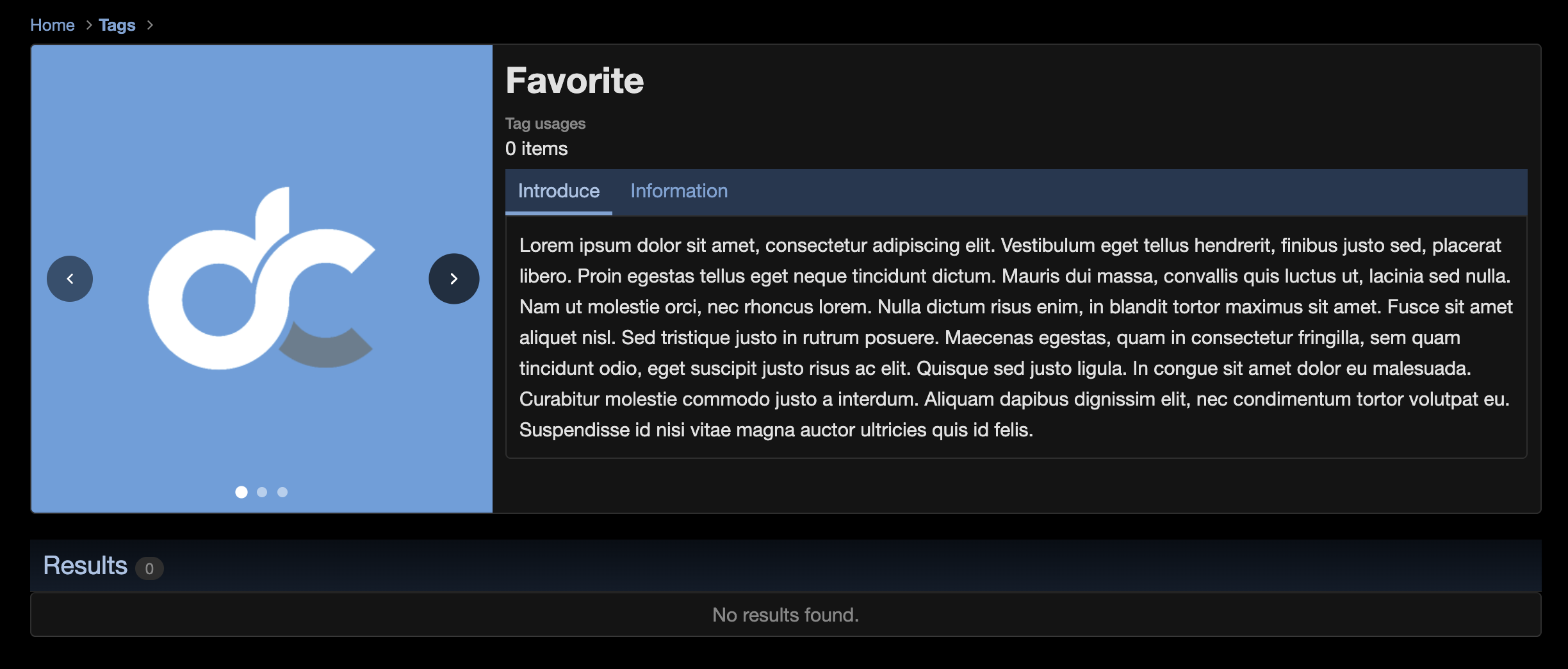
Image Gallery & Carousel
Give every tag a visual identity with a fully-featured image gallery.
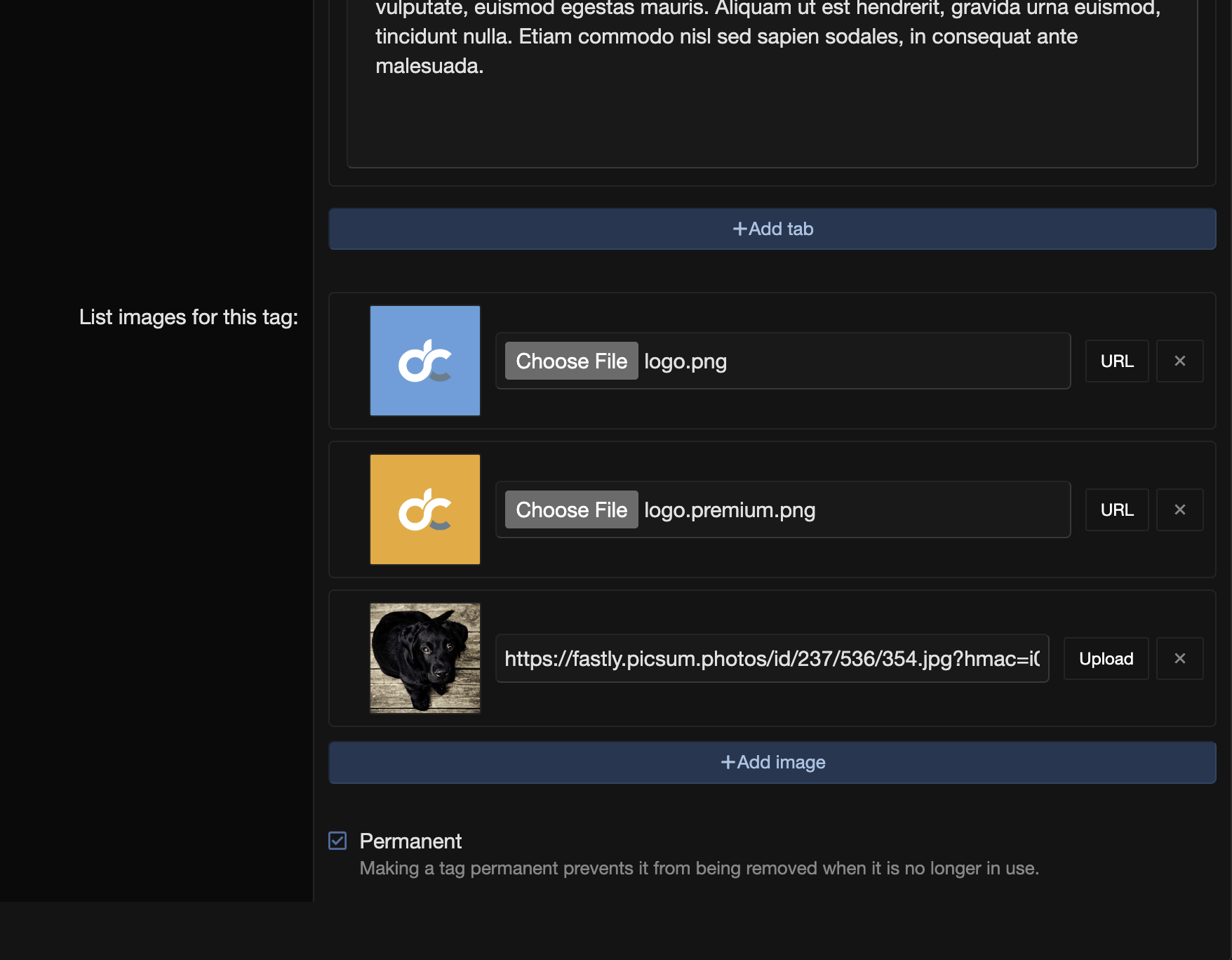
- Multiple images per tag — Add as many images as you need via direct upload or external URL
- Auto-rotating carousel — Smooth fade transitions with a 5-second interval; auto-pauses on hover
- Swipe-friendly on mobile — Full touch gesture support for navigating between images
- Previous/Next arrows & dot indicators — Intuitive navigation that appears on hover
- Drag-and-drop reordering — Rearrange images instantly in the admin editor
- Live image previews — See thumbnails as you add images, before saving
- Upload or URL — your choice — Toggle between file upload and external URL per image with one click
- Smart image processing — Uploaded images are automatically resized (configurable max dimension) while preserving aspect ratio
- OpenGraph SEO — The first gallery image is automatically set as the
og:image meta tag for rich social media previews
Custom Content Tabs
Add unlimited rich-text tabs to any tag page — perfect for lore, rules, guides, FAQs, or any structured content.
- Unlimited tabs — Create as many content sections as you need
- Full BB Code editor — Write rich content with XenForo's built-in formatting tools
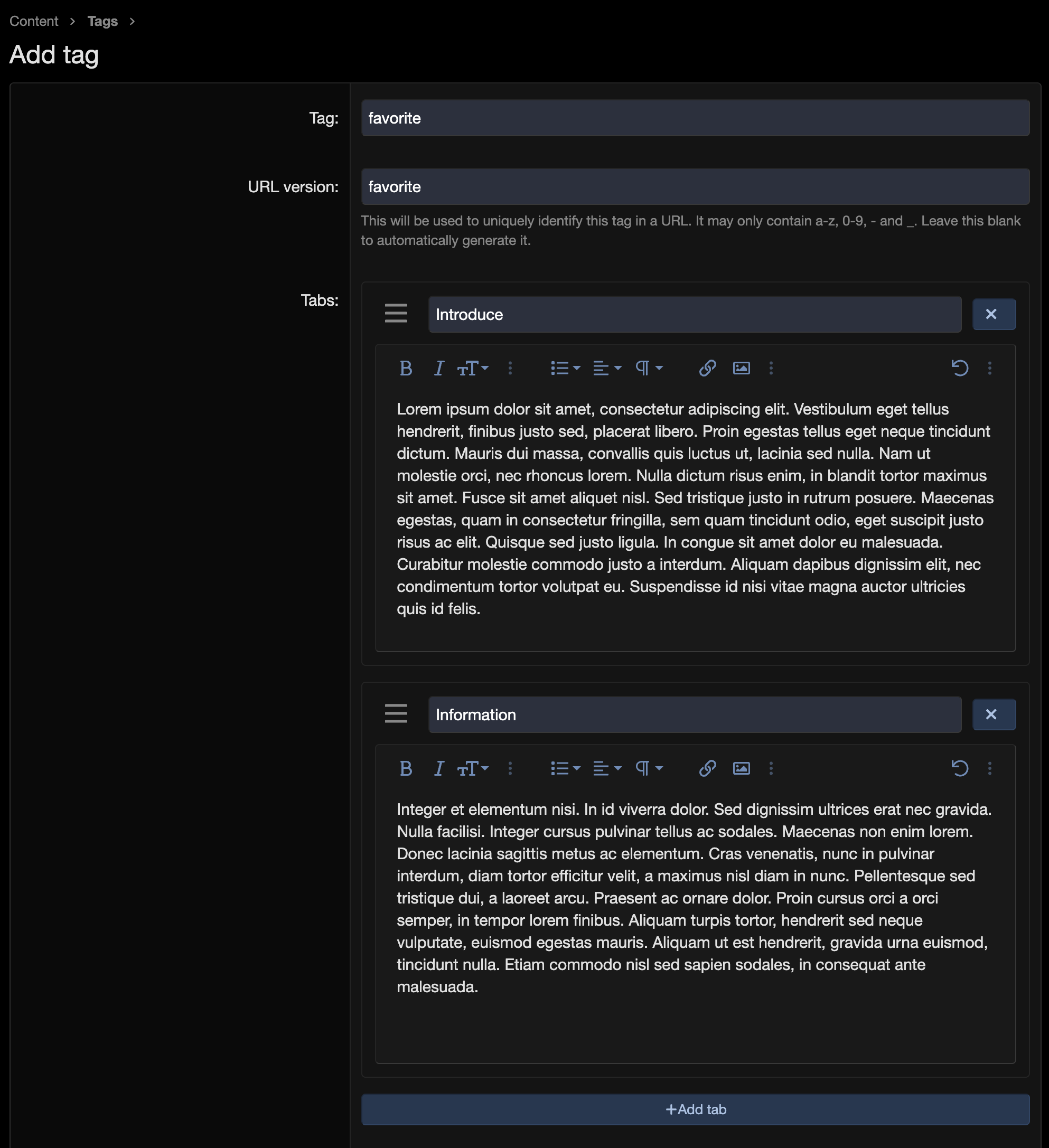
- Drag-and-drop tab ordering — Rearrange tabs effortlessly with visual drag handles
- AJAX-powered editing — Add new tabs on the fly without page reloads
- Hash-based URL navigation — Each tab gets a unique URL hash, so you can link directly to specific content
- Scrollable content area — Long tab content scrolls smoothly within a contained area with custom-styled scrollbars
- Smart filtering — Empty tabs are automatically hidden from visitors
Enhanced Tag View Layout
A completely redesigned tag page that puts content front and center.
- Wiki-style header — Gallery and info panel displayed side-by-side in a clean two-column layout
- Prominent tag title — Large, bold, capitalized title for immediate visual impact
- Usage statistics — Shows how many threads use this tag at a glance
- Results count badge — Clean pill-styled count alongside the results heading
- Conditional display — The enhanced header only appears when there's content to show (images or tabs), so tags without extra content still look clean
- Fully responsive — Stacks vertically on smaller screens with adjusted sizing and spacing
Admin Experience
Designed for efficiency — managing tag content is fast and intuitive.
- Integrated into existing tag editor — No separate admin pages; everything is right where you'd expect it
- Drag-and-drop everywhere — Reorder both images and tabs by dragging
- Mode toggle per image — Switch between URL and upload inputs without losing data
- Instant previews — See image thumbnails immediately after adding a URL or selecting a file
- Automatic cleanup — Orphaned uploaded images are deleted when no longer referenced
- Configurable image sizing — Set the maximum image dimension (default: 1200px) or disable resizing entirely
Mobile & Accessibility
Built to work great on every device and for every user.
- Responsive breakpoint at 900px — Layout adapts from side-by-side to stacked view
- Touch swipe navigation — Swipe left/right on the carousel with passive event listeners for smooth scrolling
- Accessible controls — Full ARIA support including
aria-label, aria-hidden, aria-selected, and proper role attributes on the carousel
- Lazy-loaded images — Uses native
loading="lazy" for better page performance
- Horizontal tab scroller — Tabs scroll horizontally when they overflow on narrow screens
SEO & Social Sharing
Make your tag pages shine when shared across the web.
- OpenGraph thumbnail — First gallery image automatically becomes the social preview image
- Semantic HTML — Proper heading hierarchy, definition lists for metadata, and structured ARIA roles
- Server-rendered content — All tab content is rendered server-side, fully visible to search engine crawlers
- Clean URL hashes — Tab navigation uses browser history state replacement for tidy URLs
- Upload the
src/addons/DC/TagView directory to your XenForo installation
- Go to Admin CP > Add-ons and click Install/upgrade from archive or find D.C Style - Advanced Tag View in the list
- Click Install
- (Optional) Adjust the maximum image size under Admin CP > Options > Tagging
That's it — start enhancing your tag pages right away from Admin CP > Content > Tags.
Configuration
| Option |
Location |
Default |
Description |
| Max image size |
Options > Tagging |
1200px |
Maximum dimension (width or height) for uploaded images. Set to 0 to disable resizing. |