Support add-on that lets permitted staff browse the board as another member — seeing exactly the pages, permissions, unread state and error messages that member sees — without ever asking for their password. Every switch is recorded, every live session is visible, and every session ends on its own.
The problem it solves is the one every support queue has: a member reports something that cannot be reproduced from a staff account. Rather than guessing at permissions or asking for credentials, a staff member switches into the account from wherever they already are — the staff bar, the member's profile, a post they wrote, or the Admin CP user list — reads what they read, and switches back.
Accountability is the whole point, not a bolt-on. One row is opened when the switch happens and closed when it ends, and that single row is both the live-session record and the permanent audit entry — so "who is browsing as whom right now" and "who browsed as whom last March" can never disagree. It records both usernames, both user IDs, the staff member's IP, an optional reason, the duration, and exactly how the session ended, out of ten distinct outcomes. Usernames are stored alongside the IDs on purpose: an audit log that goes blank when an account is deleted is at its least useful precisely when it is needed most.
Containment is enforced rather than trusted. Sessions expire on a timer, staff re-enter their own password before taking over an account, administrators can never be impersonated at all, nobody can hold two impersonations at once, and an administrator can terminate anyone's live session from the Admin CP. By default the visit also leaves no trace on the member's own account — they are not pushed onto the online list, their unread threads stay unread, and their alerts stay unread.
Features
Ways In
Six entry points, all gated on the same permission, all rendering only when the target can actually be impersonated.
Staff bar
A "Log in as…" link with member autocomplete and your recent targets, grouped so one member does not fill the list.
Member profile
"Log in as this member" in the moderator tools menu.
Post action bar
"Log in as author" in the overflow menu of any post.
Admin CP user list
A per-row action icon on every eligible member.
Admin CP user edit
"Log in as this user" in the actions menu.
Direct link
/login-as/username.123/ for anything that should link straight to the confirmation screen.
The Confirmation Screen
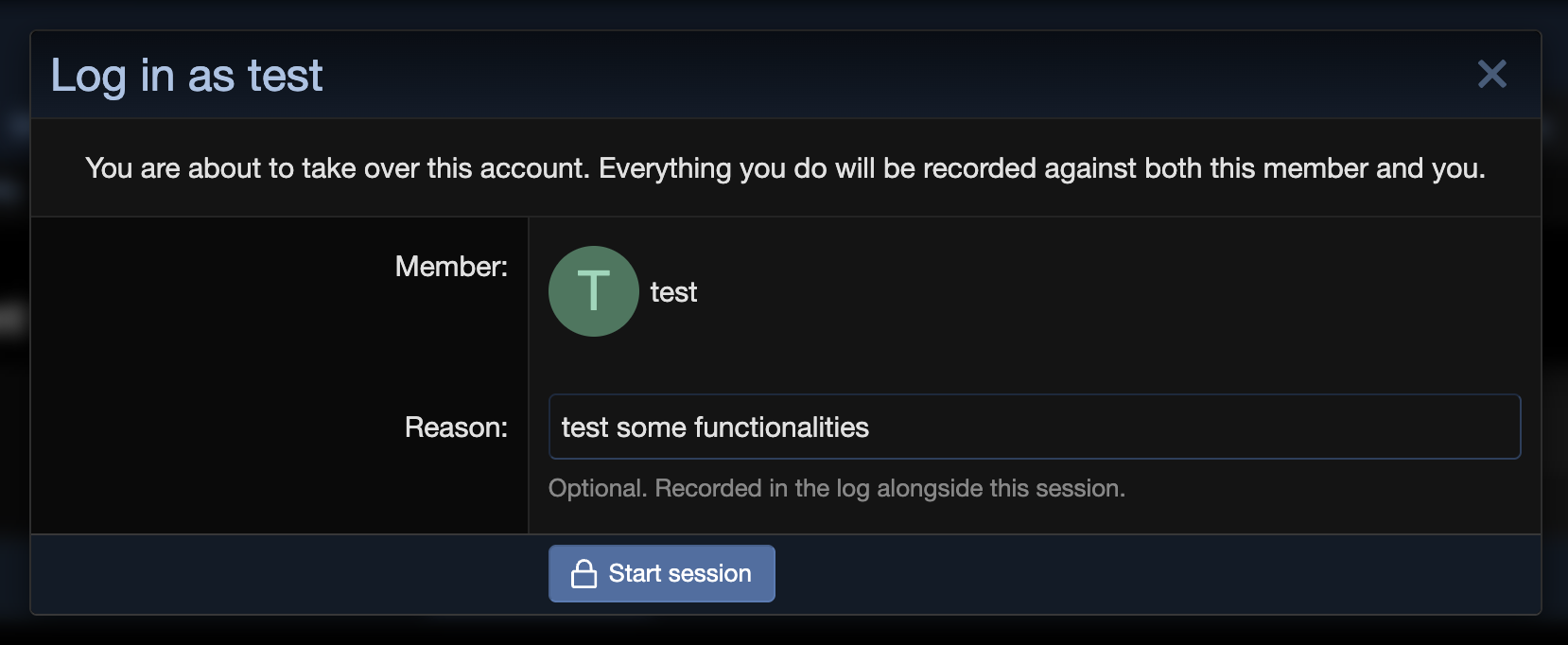
Identity check — the target's avatar, name and email, so there is no doubt which account is about to be entered.
Optional reason — free text, recorded on the audit row and shown in the log.
Restricted accounts are flagged, not blocked — banned, disabled, awaiting approval, rejected, awaiting email confirmation and bouncing-email accounts are all clearly labelled, and can still be entered. That is usually the point: you see exactly what a restricted member sees.
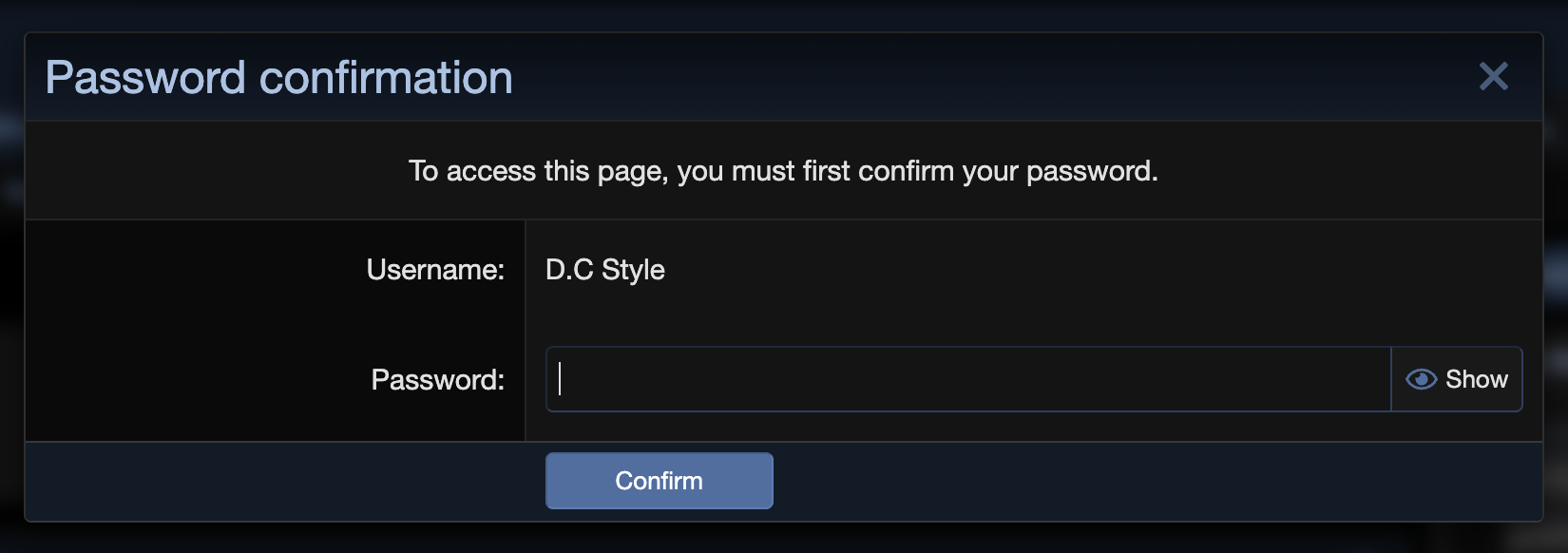
Password re-prompt — the staff member's own password, before the switch.
While Signed In As Someone Else
The staff bar is tinted and carries an accent line, so there is never a page where it is unclear whose account is in use.
A persistent indicator and one-click return — "Signed in as {member}" and "Return to {yourself}", on every page.
Log out means return. Clicking log out while impersonating ends the impersonation and leaves the staff member in their own account rather than signing them out — and does so without destroying their own remember-me record, which a plain logout would.
The board treats you as the member in every respect: permissions, style, node visibility, unread counts and error messages are all theirs.
Safety Rails
Administrators can never be impersonated. Hard-coded, not a permission — immunity that can be granted away is not immunity.
Grantable immunity — a separate "Cannot be logged in as" permission for protecting moderators, VIPs or one individual without touching code.
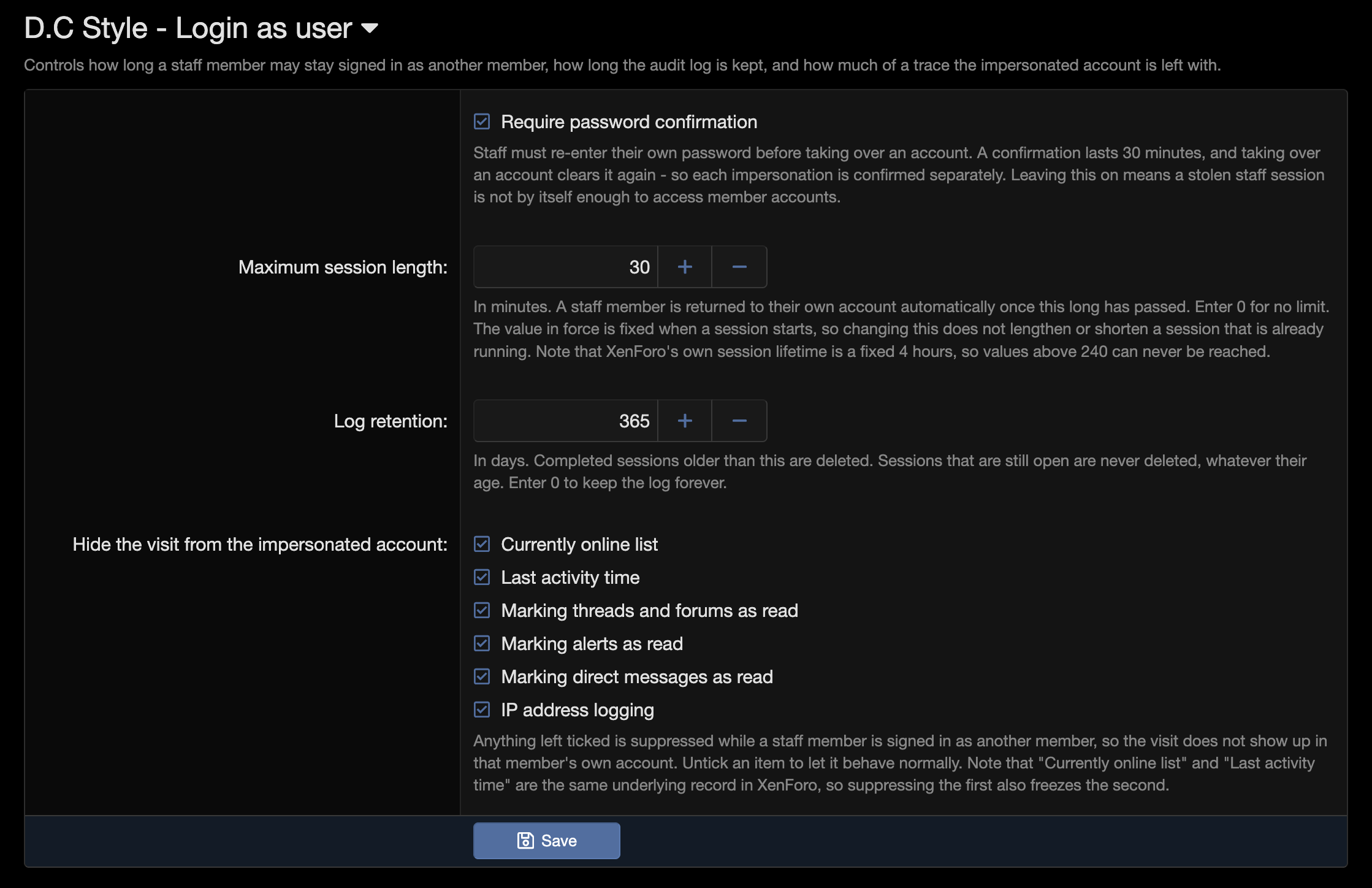
Password confirmation — a stolen staff session is not by itself enough to reach member accounts. The confirmation lasts 30 minutes and is spent on each switch, so every impersonation is confirmed separately.
No nesting — you must return to yourself before entering another account.
One session per staff member, board-wide. Starting a second closes the first and destroys that device's session, so there is never a forgotten tab quietly browsing as somebody.
Enforced time limit — 30 minutes by default, after which the staff member is returned automatically. Lowering the setting shortens sessions already running; raising it never extends one that started under a tighter rule.
Never issues a credential for the target — no remember-me cookie is ever minted for the impersonated account, so nothing outlives the session.
Uninstalling terminates live sessions first, before the code that could end them goes away.
Every failure path returns the staff member
Each of these ends the session on its own and is recorded with its own outcome, rather than leaving somebody wearing an identity they cannot shed.
What happened
Recorded as
Result
Staff member returns
manual
Back in their own account
Staff member logs out
logout
Back in their own account, still logged in
Time limit reached
expired
Returned automatically
Administrator force-ends it
forced
Session destroyed outright
They start another session
superseded
Older device's session destroyed
Nobody ever came back
stale
Closed by cron after 24 hours
Permission revoked mid-session
revoked
Returned automatically
Member account deleted
target_gone
Returned automatically
Staff account deleted, or member changes password
invalidated
Fails closed — never left impersonating
Audit Log
Admin CP → Logs → Users → Login as user, behind the standard "view logs" admin permission — the same gate the moderator log uses.
One row per session with staff member, impersonated member, reason, IP, start time, duration and outcome.
Filters — by staff member (a select, since the set is bounded), by impersonated member (an autocomplete, since it is not), by date range, and an active-only toggle. Filters are reflected in the URL, so a filtered view is linkable.
Row detail overlay with the full record, including which footprint suppressions were in force for that specific session — snapshotted at the time, so it stays accurate even after the settings change.
Deleted accounts still name themselves — usernames are stored on the row, so history survives the accounts it describes.
Cross-referenced with the native admin log — each event also writes an xf_admin_log entry, and the two rows are linked.
Retention — completed sessions are pruned daily after a configurable number of days (365 by default; 0 keeps them forever). Open sessions are never pruned, whatever their age.
Live Sessions
Admin CP → Users → Active sessions, behind its own admin permission — because ending a session is not reading a log, it terminates a peer administrator's browsing outright. Super admins pass automatically, so out of the box it behaves like a super-admin gate, with the difference that a board can delegate it.
Who is signed in as whom right now, with reason, IP, start time, running duration and expiry.
Force-end any session — the staff member's session is destroyed rather than handed back, the only outcome that cannot leave someone impersonating after an administrator decided they should not be.
Automatic cleanup every 15 minutes closes sessions that hit their expiry, plus sessions nobody came back from — a closed laptop, a killed tab — after 24 hours. An active-sessions page that cries wolf is worse than no page at all.
Footprint Control
Six independent toggles controlling what the impersonated member is left with afterwards. All on by default
Currently online list
The member is not pushed onto the online list by staff browsing.
Last activity time
Their last-seen timestamp is not moved.
Read marking
Unread threads and forums survive the visit, including the "Mark forums read" button.
Alerts
Their unread alerts stay unread.
Direct messages
Their unread conversations stay unread.
IP logging
The staff member's IP is not written into the member's IP history. It is still recorded on the audit row, where it belongs.
Suppression is scoped to the impersonated account specifically, so anything happening in the same request that concerns a different member still behaves normally — hiding one staff member's browsing never corrupts a third party's data.
Permissions
Log in as another member — the capability itself. Drives every entry point.
Cannot be logged in as — grantable immunity, for a user group or an individual member.
Login as user: end active sessions — the admin permission for the live-session page and the force-end button.
View logs — core's existing admin permission, which is what gates the audit log itself.
Under the Hood
XenForo 2.3 native. Vanilla JavaScript throughout, no jQuery. Uses core's own overlay, autocomplete, data-list and password-confirmation components rather than reimplementing them.
Two code event listeners and nine class extensions — no core file edits.
Public app only. Impersonation state is loaded once per public page request and never touched again; the Admin, API and CLI apps are structurally excluded rather than excluded by a check.
One dedicated table, indexed for the queries the Admin CP pages actually run.
Cache-safe — session termination goes through XenForo's session storage service, so boards running cache.sessions behave identically.
Fully phrased — every string is a phrase, and core phrases are reused for account states so they stay translated on any board.
Installation
Install the add-on
In the Admin CP, navigate to Add-ons → Install/upgrade from archive (or Install from directory if you uploaded manually). Alternatively, install via CLI:
$ php cmd.php xf:addon-install DC/LoginAsUser
Grant the permission
Under Admin CP → Groups & permissions → User group permissions, grant Log in as another member to the staff groups that should have it. The "Log in as…" link appears in the staff bar for anyone who holds it.
Protect the accounts that need it
Optionally grant Cannot be logged in as to any group or individual member that should be off limits. Administrators are already protected unconditionally.
Delegate session control
Under Admin CP → Administrators, grant Login as user: end active sessions to the administrators who should be able to see and terminate live sessions. Super admins already have it.
Review the settings
Go to Admin CP → Setup → Options → D.C Style - Login as user and confirm the maximum session length, password confirmation, log retention, and which parts of the visit are hidden from the impersonated member. The defaults are the strict ones.
Compatibility
My forum runs
Release
Needs XenForo
Tested on
PHP
1.1.0 Patch Level 325 Sep 2026
2.3.0+
—
—
1.1.0 Patch Level 126 Aug 2026
2.3.0+
—
—
1.1.024 Aug 2026
2.3.0+
—
—
"Needs" is the oldest version a release installs on. Something not working on yours? Tell us.
FixedFixed compatibility with DigitalPoint/Cloudflare so impersonated browsing respects the “Currently online” suppression setting and no longer advances the member’s related last-activity time.
ChangedIncludes the Patch Level 2 fix for stale session cookies that could cause impersonation to be lost after navigating to another page.
ChangedSix entry points: staff bar quick switch with recent targets, member profile, post action bar, Admin CP user list, Admin CP user edit, and direct link.
ChangedFull audit log with staff, member, date-range and active-only filters, a row detail overlay, ten distinct end types, and configurable retention.
ChangedLive sessions page with force-end, plus automatic cleanup of expired and abandoned sessions.
ChangedEnforced maximum session length, own-password confirmation, hard administrator immunity, grantable per-group immunity, and single-session enforcement.
ChangedSix footprint-suppression toggles covering the online list, last activity, read marking, alerts, direct messages and IP logging.
ChangedTinted staff bar with persistent status and one-click return; logging out returns you to your own account instead of signing you out.
ChangedAutomatic recovery from every failure path: deleted target, deleted actor, revoked permission, target password change, and uninstall while sessions are live.